 (925) 413-3870


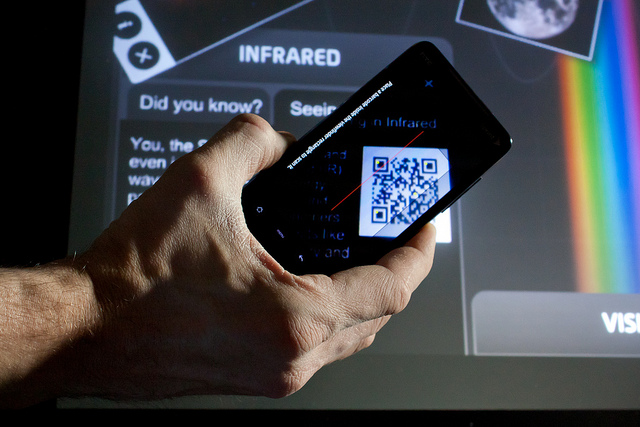
Promote a contest, URL, etc. with Kaywa, Scan & more
Target audience: Nonprofits, cause organizations, foundations, NGOs, social enterprises, businesses, marketers, educators, technologists, Web publishers.
 Rock The Vote recently launched their Scan To Vote campaign to register 1.5 million voters using T-shirts printed with QR codes. When someone scans the QR code on their friend’s T-shirt, they are directed to a website where they can register to vote.
Joe Waters has already written a few times about how organizations are using QR codes to raise more money, covering things like how to create a QR code, how to create a mobile site with Google Sites and how to promote the offer.
Once you get grounded with QR, here are four tools I think you’ll find valuable to help you get started with QR codes:
Kaywa: The easiest way to create a QR code
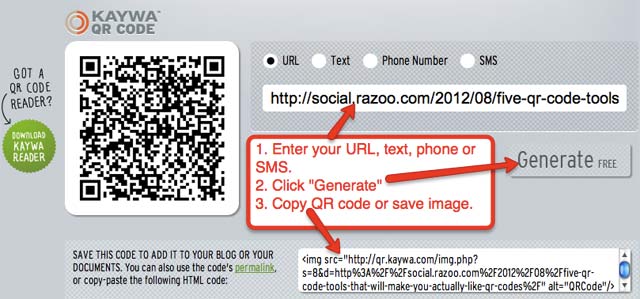
1Kaywa allows you to create customized QR codes that can link to a URL, text, phone number, or SMS. Their paid service includes analytics.
To create a QR code with Kaywa, simply enter your URL, text, phone number, or SMS; click generate; and then copy the code or save the image (as shown below).
Bit.ly: Did you know you can create a QR code in Bit.ly?
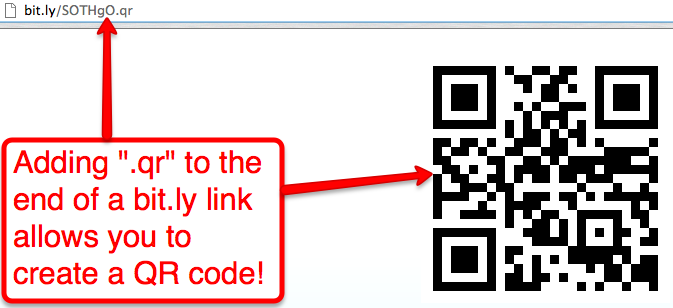
2Bit.lyis the most popular URL shortener on the planet. But did you know you can also create QR codes with Bit.ly?
All you need to do is add “.qr” after a shortened link, paste that link into a new browser tab and save the QR code to your desktop (as shown below).
Here’s a poster with a Bit.ly QR code designed to drive IRL traffic to a Facebook Page.
Read about the other two tools — Microsoft Tag and Scan — and the rest of this post over at Razoo!
John Haydon delivers social web strategy solutions for “the quick, the smart, and the slightly manic.” Curious? Then visit the John Haydon blog, follow him on Twitter or leave a comment.

 This work is licensed under a Creative Commons Attribution-NonCommercial 3.0 Unported.




And http://www.unitaglive.com/qrcode for designed QR Code !
Before people get too jazzed about using QR codes, they must make sure that the site that they are directing people to is actually a web page that is designed to be read on mobile devices. You’d be amazed at how many folks are making this fundamental error.
Kaywa.com is very simple to use. You put the URL of your web page into the box and click the “Generate” it is that simple.
Another tool you may want to consider is http://Qfuse.com where you can create free QR Codes with a mobile website in minutes to maximize user engagement. Basic scan analytics are included and you can change the QR Code at any point in the future.
Businesses are quickly beginning to see the value of utilizing QR codes for marketing purposes. Some companies are having QR code tags printed, which will allow travelers or prospect customers in general to scan the tag with their smartphones and automatically be directed to the company’s website.
Today, regular qr codes are outdated in my imho. Design qr codes are really cool today. I show a new free service to generate visual design qr codes on my site. Hope you don´t mind when i publish the link here?
It´s on http://www.free-qr-code.net/design-qr-code.html
Regards, René