 (925) 413-3870


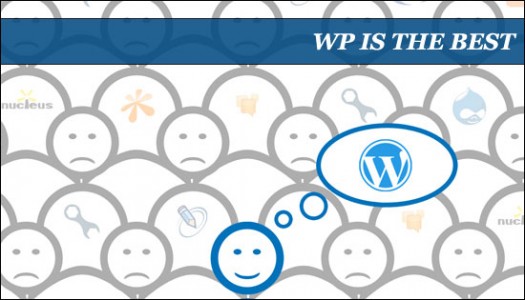
“WordPress Is The Best” by Allwin Samuel Jeba.
Consider the benefits of retooling your organization’s site or blog
 If you’re like most nonprofits, retooling and redesigning your website so that it’s more social is a frequent topic of conversation.
Facebook launched a series of social plugins that you might like to implement on your site. Adding a blog to your site is also something you’ve been considering. And wouldn’t it be great to some day add a private social community to your site?
Have you outgrown your website?
It seems that getting serious about a site redesign always brings you to the same dead end:
That free website your friend built years ago will not scale with your organization. Plus, the 1997 look and feel of your site doesn’t quite have the charm it used to.
Examples of nonprofits using WordPress
More and more nonprofits have turned to WordPress for their website platform (yes, you can use it to power your main site, your blog, or both). Check out these three sweet examples of nonprofit websites running on WordPress:
- Canadian Breast Cancer Foundation – run by a major nonprofit in Canada.
- Joint Use – uses WordPress to power a variety of features, including a BuddyPress discussion board.
- Boy’s Life Magazine – showcases the talents of top designers, writers, game developers and illustrators.
5 reasons why WordPress is ideal for small nonprofits
Fellow blogger Chris Cree just published an article called 5 Reasons Why WordPress Is the Ideal Platform for Small Business Websites. All five reasons apply to nonprofits as well.
- Easy to use: If you can edit a Word doc, you can publish web pages with WordPress. And with themes like Headway, designing the layout and style can be done without any HTML or CSS knowledge.
- Solid SEO: WordPress, along with a solid theme and the right SEO plugins, gives you everything you need to rapidly climb up to the front page of Google.
- Dynamic content: WordPress is the No. 1 blogging platform on the planet (in terms of both quality and reach), allowing you to publish posts, allow readers to subscribe by RSS and comment on posts.
- Inexpensive: After the initial costs, monthly hosting fees can run as low as $5 per month. (We recommend WordPress.org — where you have access to thousands of free developer plug-ins — rather than WordPress.com.) Plus, the ease-of-use factor means that you don’t have to pay a designer every time you need to make tweaks.
- Powerful social media tool: Although Chris lists this reason last, WordPress as a social media tool is one of the top reasons most folks use it as their content management system platform. Over 250 of the 10,000+ plug-ins – developed by the WordPress community – enhance your site’s social media functionality.
If you’re just starting out with WordPress, hop on over to HeadwayVideos.Com. Over the next month, I’ll be beefing up the WordPress Basics category with tutorials on building websites with WordPress.
Are you using WordPress for your site? How’s it working out for you?John Haydon delivers social web strategy solutions for “the quick, the smart, and the slightly manic.” Curious? Then visit the John Haydon blog, follow him on Twitter or leave a comment.





Based on my approximately 15 years developing non-profit Web sites (the last five working with self-hosted WordPress blogs), I hope the following points will help a non-profit in their decision to embrace WordPress:
1. Content Management System (CMS): Templates can be customized (a task for an appropriately screened virtual volunteer) to modify the look and feel of WordPress. For example, WordPress can designed to have the look and feel of a traditional Web site, magazine or news site .
2. Extensible: As a free, open source application, WordPress is widely-used, actively developed and extensible with a huge number of powerful plug-ins (for example, with the PowerPress plug-in, WordPress can be a powerful podcasting tool, with ready-made RSS feeds and media player.
4. Security Concerns: Due to being widely adopted, WordPress is attacked, which means any non-profit must be committed to security (such as regularly backing up and updating for known WordPress vulnerabilities, including plug-ins). Updating WordPress may break modifications made (such as to CSS files). To address this issue, some developers have moved to adding child themes.
5 Hosting: WordPress at minimum requires PHP and a MySQL database. If your site is critical to your operations, a host must be chosen with a demonstrated (WordPress) hosting track record, including remarkable uptimes. Thus, considering your current and future needs, research and ask colleagues/associates for recommended hosts (host review sites must be approached with caution). If a WordPress site has heavy traffic, CPU and memory usage will have to be considered and shared hosting (in essence, one computer serving many Web sites) may not be workable.
6. Easy Install: For additional adjustments, I suggest downloading WordPress from wordpress.org and manually installing via FTP (or shell access) instead of a host's one-click install.
Randy Tyler http://www.RandyTyler.org