February 7, 2013

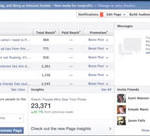
Dive deeper into Facebook Page Insights
Screen Shot 2013-02-05 at 4.09.43 PM

Photo courtesy of cambodia4kidsorg via Creative Commons

Break out analytics into five separate reports

Target audience: Nonprofits, cause organizations, foundations, NGOs, social enterprises, businesses, Facebook administrators.

John HaydonFacebook Insights for Pages provides critical data about activity around your Page and your Page updates. It’s like a GPS device guiding you towards successful interactions on Facebook.

Facebook breaks down its analytics into five reports that can be viewed directly on your page:

  1. The Overview Report: An overview of how your page is performing day to day, with sortable post-level details.
  2. The Likes Report: A report about the Facebook users who like your page.
  3. The Reach Report: A report about the Facebook users who see your page content (organic, viral and paid reach), what websites are referring traffic to your page and more.
  4. The Talking About This Report: A report about the Facebook users who create content about your page, and how those stories generate viral reach.
  5. The Check Ins Report: A report about the Facebook users who check in to your Facebook Place on their mobile device.
  6. Continue reading

December 7, 2011

Which Facebook Insights metrics matter to your nonprofit?
Target audience: Nonprofits, foundations, NGOs, cause organizations, businesses, brands, social media managers, Web publishers, individuals.

John HaydonNow that Facebook has rolled out the new Insights to all Pages, you’re probably wondering what some of these new metrics mean.

But you’re also wondering which ones really matter.

Yes, you can still view how many fans you have, and you can even see how many collective friends your fans have! But these numbers really don’t matter if no one cares about your organization.

numbers-that-dont-matter

The Insights metrics that matter

Some of you might be saying: “Yeah, but this Page has over 3,000 fans!” Still others might be saying “3,000 is nothing…We have over 50,000 fans.” Whether you have 3,000 fans or 50,000 means nothing if:

1. No one’s seeing any of your Page stories.
2. No one’s talking about your organization.
3. No one’s telling their friends. Continue reading

November 17, 2011

How nonprofits should be using data


Why embracing data should be an important part of your leadership strategy

Target audience: Nonprofits, NGOs, cause organizations, social enterprises, brands, businesses, social media managers, marketing professionals, individuals.

Debra AskanaseI recently presented a workshop titled “Data Driven Leadership” at the Massachusetts Nonprofit Network/AGM annual conference along with colleagues Marc Baizman and Steve Backman. The question we addressed in the workshop was: What online data can help a leader make informed decisions around programming, advocacy and fundraising? Marc, Steve and I have expertise in Google Analytics, in understanding customer segmentation and databases, and in identifying social media metrics, respectively. Each of us thought about how the data from our respective areas of expertise could shed light on an answer. The hardest part was choosing what to eliminate from our presentation, as we only had one hour to cover this enormous topic!

Getting started with gathering data

We created a DIY worksheet for the session titled, “Make Your Data Work for You.” It offers sample questions to get you started thinking in the areas of marketing, programs and services, development, and volunteers and advocacy. For every sample question, it asks you to set the priority level, consider what data you’ll need to answer that question, and where you can find the answer. There are a lot of spaces for you to customize the worksheet to your needs. You can read and download the worksheet.

DIY-Data-worksheet

For every leader, thinking about the real organizational questions that the data could offer is the place to begin.

Below are summaries of our segments of the presentation, written individually by each of us. You can also view the SlideShare presentation above for the complete takeaways. Continue reading

October 19, 2011

12 ways Facebook users can ‘like’ your nonprofit Facebook Page

invite-friends
Ask your friends to like your Page.

Target audience: Nonprofits, NGOs, cause organizations, social enterprises, brands, social media managers, individuals.

John HaydonAlthough Facebook has changed what liking a Page means to users, acquiring Facebook fans will always be an important part of any nonprofit Facebook strategy.

Fortunately, Facebook’s platform includes many opportunities for Facebook users to like a Page. Below are 12 ways Facebook users can like your Page:

1 From a new Facebook user registration.
People who are registering for Facebook can like your Page in the registration wizard.

2 From creating a Page.
When you create a Page, liking it is now part of the process.

3 Admin registration.
People can like your Page when you add them as admins.

4 Invite friends feature.
Admins can use the “Invite Friends” feature to ask their friends to like your Page (as shown at top).

5 On the Page.
People who like your Page from the Page itself. Continue reading

October 14, 2011

Inside the upgrades to Facebook & Delicious

New Delicious

What you need to know about recent changes to two key social networks

Target audience: Nonprofits, NGOs, cause organizations, businesses, brands, Web publishers, bloggers, educators, social media managers, individuals.

Debra AskanaseThe social media landscape continually evolves, and it’s hard to keep up with all the changes. Platforms and apps I know and love suddenly have new capabilities, add-ons and new wrinkles. In this new feature, “New and Improved on the Social Web,” I’ll be highlighting some of the latest changes to social media platforms, apps and tools, and commenting on their implications. Let’s start by tackling the recent changes to Delicious (social bookmarking) and Facebook.

Delicious stacks

Delicious, the social bookmarking site — acquired not long ago by the founders of YouTube — just rolled out a completely new Web interface as well as a new product, Delicious stacks. The new interface is fun and updated and brings the brand experience in line with today’s Web experience and expectations. While Delicious has always enabled users to bookmark, tag and publicly share bookmarked URLs and tags, users were not able to compile sharable topic areas. The new feature, Stacks, is Delicious’ version of publicly curated content streams. Any Delicious user may create a topic (called a stack) and add links from around the web to create a stack of the topic. Delicious users can follow stacks, share stacks with others and save individual links within others’ stacks.

With the stacks rollout, Delicious is clearly trying to be a player in the content curation trend. If this succeeds, stacks could easily compete with other curation tools such as Google Reader, scoop.it and Pearltrees.

Delicious-stacks

Open commenting allowed on Facebook pages

Facebook announced a lot of upcoming changes at their F8 developer conference in September. Some of those changes are rolling out now, with implications for your organization’s page.

One of the more significant changes to your page is that any Facebook user can comment on your posts and on your wall, without Liking the page first. Just as you had previously managed your settings to allow fans to write or post content to your Facebook wall, the new permission allows “users” to do so. One note: this is a change that you can opt out of – if you allowed fans to post, the new settings automatically allow any Facebook user to post. Continue reading

May 6, 2011

How to understand Daily Active Users in Facebook Insights

John HaydonWe’ve already looked at seven different ways that people interact with your Facebook Page.

Facebook Insights allows you to view daily interactions by type in a report called “Daily Active Users Breakdown.”

This report can be found by selecting the “Users” report on the left-hand side of your Insights panel:

Facebook Insights

Understanding the breakdown of Daily Active Users

Halfway down the Users report, you’ll find the Daily Active Users Breakdown chart:

Facebook-Insights

This chart provides daily numbers on five different stats. Mousing over any data point in this chart will allow you to see details for a specific day.

  • Unique Page Views – This is the number of users per day that have viewed your Page.
  • Post Views – This is the number of people per day who have viewed your posts. This number is typically higher than the other data points because posts receive a large amount of exposure in news feeds.
  • Liked a Post – The number of unique fans per day who have liked a post.
  • Commented on a Post - The number of unique fans per day who have commented on a post.
  • Wall Posts – This is the number of unique fans who have posted to your Page (includes updates, photos, videos, links).
  • Continue reading