 (925) 413-3870



Image by ChrisL_AK on Flickr
Huddle, Basecamp, DeskAway among tools to help your team members work together
Target audience: Nonprofits, cause organizations, entrepreneurs, NGOs, citizen publishers, educators.
By Jessica Haswell
Socialbrite staff
The Google Wave came and went – what was that thing, anyway? — but here are some tools that maximize the collaboration and efficiency of your organization and are sure to stick. We took a look at five of the top Web-based project management and collaboration tools that can help nonprofits and other organizations get stuff done. These tools are productivity boosters, regardless of whether your staffers work in the same office or if your team wants to engage supporters in far-flung locations.
Have your own favorite? Please share in the comments below.

Huddle: Free workspaces for nonprofits
1Habitat for Humanity, UNICEF and World Vision are just a few of the nonprofits using Huddle, and it’s a great option for smaller organizations as well. We use London-based Huddle — which just opened a San Francisco office — as the online workspace for New Media Labs, one of our nonprofit clients. Coolest features: Huddle’s customizable dashboard, making it easy to add widgets, and online whiteboards that foster effortless integration with LinkedIn, Ning and Facebook. Thanks to the Huddle Foundation, Huddle is one of the only outfits that offers registered charities (with budgets below $7 million) completely free services. Huddle.net won the Best B2B/Enterprise Start-up at the TechCrunch Europe Awards 2009. Follow Huddle on Twitter. See Huddle on iTunes.

Basecamp: Over 3 million users
2They must be doing something right: Basecamp has 3 million users, growing at 1,000 companies a week, so one of the chief appeals of Basecamp is the ability to connect with outsiders and other organizations. On top of its massive user count is an extremely well-organized, powerful project management system, customizable interface design and mobile support. The price, starting at $24 per month, is comparable to other tools of its kind, but there are no discounts for nonprofits. Follow Basecamp on Twitter.

Teamwork Project Manager: More features for less
3This package offers a clean layout and customizable logo and layout options – important projects can be starred and featured on the main screen with “custom view.” Message boards are just one of the collaboration tools offered in addition to wiki-style notes. If you’re looking for the functionality of Basecamp at a lower cost, check out Ireland-based Teamwork Project Manager. Follow TeamworkPM on Twitter.
DeskAway: A good choice for the boss
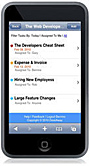
4Delegation, sharing, tracking work and transparency are just some of the things that DeskAway prides itself on. One of this mobile-enabled project management system’s stand-out features is its ability to import data from Basecamp if you’re looking to switch out or back up your project data. Desk Away makes nominating a project manager to keep things organized easy — it’s a good choice for tech-savvy executive directors or C-suite execs. See info on the DeskAway mobile app. Follow DeskAway on Twitter.

Zoho: Build your own efficiency toolkit
5Zoho stands out from the rest of its field: It offers an online toolkit of productivity, collaboration and business apps similar to Google Docs, which has copied some of Zoho’s best features. The most exciting feature of Zoho is its ability to sync with other programs such as Google Apps or Microsoft Office, making it that much easier to communicate and share content with your colleagues. The one downside (or upside, depending on how you will use it) is that you buy all of the various tools — Business, CRM, Reports, etc. — separately. Zoho is perfect for those who want to build their own collaboration and efficiency toolkit. Follow Zoho on Twitter.
Other collaboration tools
These are by no means the only collaboration and efficiency tools out there. We’d be remiss if we didn’t mention some of these:
• Wikis, of course, though not all employees are taken with them. Compare the different wiki software platforms on Wikipedia.
• Redmine, which we wrote about in A developer’s 5 favorite social tools.
• Some other choices worth a look: Colaab, the open source Teambox, Active Collab, Comind, Central Desktop and the other Project tools we list at Web 2.0 Productivity Tools.
I’d love to hear about your organization’s experiences with some of these project management tools – please share your thoughts below!

 This work is licensed under a Creative Commons Attribution 3.0 Unported.




Thanks for mentioning DeskAway :-)
How much did you pay for this PR stunt?
¿Don't you know Suipit?.. wow! http://www.suipit.com is in spanish and portuguese… is better than these!!!
Regards!
Pedro Pérez
Hola, Pedro, thanks for letting us know about suipit.com, looks very interesting! – jd
We are also using Suipit http://www.suipit.com. We are an environmental consultancy company http://www.geq.cl and we use it to manage all our project; all the conversations, all the documents and all the meetings are run through our suipit account. The best thing about it its the simplicity and that metrik (www.metrik.cl,) the company that developed it, works on improvements all the time. We are now working on delivering one of our services (environmental audit) through suipit, adding some applications
Jessica: Thanks for making Zoho as part of your list!
We offer the pricing a la carte because it makes it easier to choose the app(s) one need to buy. Typically, a sales manager would buy Zoho CRM, Mail, Reports etc for his/her team and a Project Manager may want Zoho Projects with Chat/Wiki/Bug Tracker to help keep their projects on track.
Also, this pricing arrangement allows people to mix and match Zoho Apps with other apps. For example, your business can be using G Apps and may want Zoho's business apps to go with it. The Google Apps integration comes in handy here.
Great post!
Remember: The more you can collaborate on, the better. Studies have shown that having the ability to collaborate on more aspects of work at once makes employees more motivated.
A company I do contract work with, WORKetc, offers collaboration on all aspects of business management. The WORKetc application combines CRM with project management and billing. This means an extensive list of features ranging from sales leads, forecasts, project collaboration and gantt charts to invoicing, help desk software, and document management. Collaboration takes place on a much higher level, ranging from CRM features to project management features to billing.
For a feature comparison of WORKetc versus main competitors (such as Basecamp): check out the hotlink in my name.
These are all great tools that will enhance a company's productivity. I would also suggest taking a look at Intervals, especially if you need time tracking mixed in with your collaboration tools.
At the time I evaluated Huddle it looked absolutely unimpressive… well, since they have such customers now, they must've improved the app :)
We've been using Wrike.com for over a year now. I think the tool really enhances the social part of project management. Especially in the new beta with microblogging and avatars (small, but cute addition). What I totally love about Wrike is that new team members don't need any special training to start using it. The app is very intuitive, kudos!
DeskAway is the best!
Well wrote! The tool which I use is DeskAway. It's simple yet a powerful tool. It has got the excellent project features like automatic email reminders, project templates, calendar, blog, reporting/analytics, full export/backup. This really makes tasks easy & simple.
Just heard that Manymoon is another Task Management tool: https://www.manymoon.com/auth/login
I think you might want to have a look at the work tool Podio at http://www.podio.com.
Hello! Thanks everyone for the recommendations. I add the project management tool we're using so you can put it into the list. We found it in http://www.doolphy.com. I hope that helps. Regards!
Also just came across this good roundup:
20 Online Project Management Tools to Boost Productivity (Small Business Trends)
http://smallbiztrends.com/2010/10/20-online-proje…
Very good list, thanks for sharing, Nat! – jd
There is also a new tool thats just out of beta for managing projects called Birdview, check it out at http://www.birdviewprojects.com. Not much around about them because its very new, but looks promising.
Easy Peojects (http://easyprojects.net/) is another alternative.From the same developer, I believe.
Thanks for mentioning teambox, it's quite simple but very effective! use it now that you get 3 free projects :)
Another project management tool for content teams is Contrich ( http://www.contrich.com ). It has many features like inline content editing, content review, automatic page verification and many more which can increase the productivity of web development teams tremendously.
Hey, thats interesting!
Found this one which could be helpful: http://maplecrm.com . Maple CRM is quite easy and user friendly. Hope this links helps!
Not sure if relevant but now there is a backup tool for Huddle workspaces. This tool allows you to download all you files on a local HDD and have the entire workspace backed in case something happens.
HyperOffice is another option (http://www.hyperoffice.com)
Being an IT guy I am glad to say that after using Bootstraptoday a project management tool
i need not to worry about daily tasks and tickets as BST brings intelligence and
integration into the software developent lifecycle and detection of bugs becomes quicker
saving a lot of time and project cost. Apart from cloud/online it is also available as In
house set up. An insight of the tool can be experienced at http://zfer.us/AeiG9
I think that SAP StreamWork (www.streamwork.com) has more features than these options you have listed here.
Thanks much, Keith, haven’t seen it but sounds worth checking out!
One of the most powerful and comfortable tool of project management is Askcow – https://vimeo.com/64023809
Nor Zoho, nor Basecamp could measure up to it.
Supersonic tree of issues, carefully elaborated use cases and interface, bookmarks and real-time notifications made this tool a sweet-heart for any project manager. And of course, forget about F5! All information updates instantly in your dashboard, so this is a fully interactive tool, not like JIRA.
Price for askcow is ridiculously low in compare to Asana, Wrike and Basecamp, so everyone can acquire an enterprise solution enough powerful to handle managing even a huge fleet of spaceships, not to mention art studios or IT companies – https://vimeo.com/59400005
Askcow is on the way!
I want to add one more tool in this list i.e proofhub.com. Very useful tool for managing projects as well as teams. It has simple interface to quickly update tasks, enter timesheet information (for task, issues, meetings, task comments, approvals) . Also includes features like group chat, labels, sub tasks and proofing tool.