 (925) 413-3870


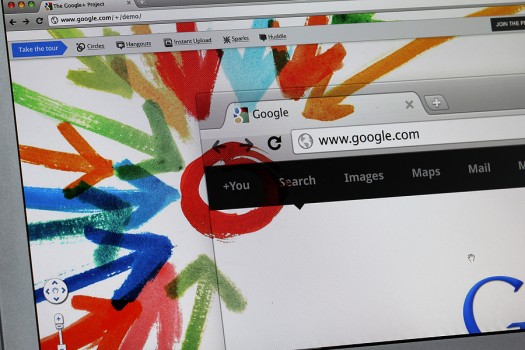
Image by AK Foto for Big Stock
How to make sense of Google Plus for organizations and individuals
Target audience: Nonprofits, foundations, NGOs, cause organizations, businesses, brands, social media managers, Web publishers, individuals.
 Now that you have Google Plus Page for your nonprofit, I thought it would be helpful to explain the difference between Google Plus Pages and Profiles. Google Plus Profiles and Business Pages have similar differences that Facebook Profiles and Pages have.
These differences can be summarized as having to do with issues of privacy and normal social boundaries you’d expect between a business entity and a person.
For example, it’s perfectly acceptable for you to like a pizza shop, but kind of creepy if a pizza shop likes you. With that in mind, here’s a quick rundown of the differences between a profile and a page:
- Pages are for businesses, brands, organizations and public figures; profiles are for people.
- Pages can’t add people to circles until the page is added first or mentioned.
- The default privacy setting for elements on your Business Page is public.
- Pages have the +1 button (similar to Facebook Page’s like button), profiles don’t.
- Profiles can +1 Business Pages and any content on the Web with a +1 button, Business Pages can’t.
- Profiles can mention people in comments, Pages can only mention people who’ve already added or mentioned them.
- Profiles can play games, Business Pages can’t.
- Pages don’t have the option to share to Extended circles.
- Pages don’t receive notifications via email, text or in the Google bar – yet.
- Pages can’t start or join hangouts – yet.
- Pages have no analytics module – yet.
I’m curious now how you’ve been using your Google Plus Business Page, and would love to hear your awesome tip or insight.
Share a link to your Google Plus Page in the comments below.
Related
- Tips for your nonprofit to succeed with Google Plus business pages (Socialbrite)
- How to create a Google Plus business page (Socialbrite)
- How Google Plus can help nonprofits connect with supporters (Socialbrite)
John Haydon delivers social web strategy solutions for “the quick, the smart, and the slightly manic.” Curious? Then visit the John Haydon blog, follow him on Twitter or leave a comment.

 This work is licensed under a Creative Commons Attribution-NonCommercial 3.0 Unported.




Great post!
Interesting post. Thanks.research paper example
Good points . I especially like your point about responding to comments and trying to promote the guest post on stumbleupon and other social media sites. The more you give back the more writing opportunities you will get.
Good overview John! Appreciate your insights as we get our page going on G+. Here’s the link to the Social Capital Inc. page: https://plus.google.com/u/0/b/114823532182422588419/114823532182422588419/posts
Hi my family member! I want to say that this article is awesome, great written and include approximately all important infos. I?d like to look extra posts like this .
Hi John! Nice post…
Pages & Profiles in Google+ are so similar that it is difficult to differ between the two. Thanks for sharing the shortest ways to differ between a Profile & a Business Page on Google+.
Great article John! I am really struggling with this choice, and you really outlined the differences between the two. At first glance, the google+ page seems a bit limited in comparison to the profile, but I am wondering if google is like facebook in not encouraging businesses to cheat and create a profile, maybe even penalizing them in search results?
I cut into the surface of the book and dissect through it from the front. I work with knives, tweezers and surgical tools to carve one page at a time, exposing each layer while cutting around ideas and images of interest
http://www.hittvchannels.com/all-Argentina-hit-tv-channels-10.htm#.Uvn51fl_sXE