Social media consulting services
November 9, 2011

Facebook’s page for nonprofits offers helpful resources

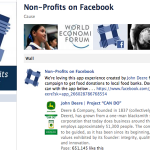
Nonprofits on Facebook


Learn best practices from other nonprofits successfully using Facebook

Target audience: Nonprofits, cause organizations, social enterprises, social media managers, marketing professionals, businesses, brands, Web publishers, individuals.

This is the second part of a two-part series on Facebook apps and resources available to nonprofits. Also see:

5 essential Facebook applications for nonprofits

By Lindsay Oberst
Socialbrite staff

Lindsay OberstWith more than 100,000 nonprofit Facebook pages out there, it’s clear that many nonprofits already know that the social networking site can be a game changer. Since we often spend more hours on Facebook than with our best friends, we might as well also be using this time for good, right?

If you look around Facebook, many of the existing nonprofit pages don’t come close to reaching their full potential. They were created and then left alone, or are used in ways that don’t work on Facebook. Of course, if you’ve had to create or manage a page, you know how confusing it can be.

What page owners need is a resource to help them figure out what works and to give them new ideas when they feel as if they don’t have endless amounts of time or money to dedicate to social media. One such resource is the Non-profits on Facebook page, a community that shares information and best practices for social good organizations.

Whether you’re new to Facebook, would like to know how to use the site better or are already a Facebook success story, the Facebook nonprofits page is certainly worth “liking” and using if you work to bring positive change to the world.

But once you like it, how else should you use this tool?

First steps for Facebook newbies

(People already using Facebook for their nonprofit might want to skip to the next section.)

The nonprofit page has a tab for nonprofits that are new to Facebook marketing; it’s called “Get Started” and contains several downloadable PDF documents:

  • A quick-start guide, along with a pages manual, to help you understand the basics of a Facebook page and how to create one.
  • A guide for nonprofits with tips for promoting your page and quick pointers about what types of content you should be posting.

Once you create your page and get the word out to your network about it, you should begin thinking about how you can make your nonprofit Facebook page a success story.

Resources and best practices for nonprofits

A mouse click over to the resources tab on the Non-Profits on Facebook page will show a list of products and tools used to grow and promote a page. Check each of these out and consider their usefulness for upcoming campaigns.

  • Groups, which can be used to organize niche communities within an organization. To learn more about ways to use this tool including examples, see Socialbrite’s guide to making the most of Facebook groups.
  • Targeted ads to increase awareness and grow subscribers;
  • Applications for additional content, which are created to be social and encourage participation. The most-used application by nonprofits is Causes, a platform that mobilizes a user’s network of friends to grow movements;
  • Continue reading »


Creative Commons Attribution 3.0 UnportedThis work is licensed under a Creative Commons Attribution 3.0 Unported.

0 Comments
November 8, 2011

How to create a custom Welcome Page on Facebook


Video tutorial on the new way to create custom tabs

Target audience: Nonprofits, NGOs, cause organizations, social enterprises, brands, social media managers, Web publishers, individuals.

John HaydonYour Facebook Page is up and running, but you want to entice newcomers to become fans. The best way to do that to direct visitors to your custom Welcome page rather than to your Wall as the default landing page for people who are not yet fans.

If you’re with a small nonprofit and have a little HTML knowledge, you can create custom tabs using an application called Static HTML:iframe tabs. (Facebook replaced FBML with support for iFrames earlier this year.)

The video above shows you how to create a simple tab with fan-only content using Static HTML.

Continue reading »


8 Comments
November 3, 2011

Study: How nonprofits benefit from using social media

social media study

Image by Michael Darcy Brown for Big Stock


A look at nonprofits’ use of Twitter, blogs, YouTube, Flickr & Facebook

Target audience: Nonprofits, NGOs, cause organizations, social enterprises, brands, social media managers, bloggers, individuals.

John HaydonIdealware just published the second edition of their Social Media Decision Guide, which you first heard about on Socialbrite last year. The guide includes information about how nonprofits are benefiting from Twitter, blogs, YouTube, Flickr and Facebook.

Facebook drives website traffic and gets people to take action

facebook research

As you’ll see from the graph above, most nonprofits report using Facebook to increase website traffic and get people to act.

They also found that a growing segment of Facebook users turn to the platform as a reference site. Not being on Facebook today is almost as bad as not having a website.

Download the Social Media Decision Guide

What you’ll really love about the Social Media Decision Guide is that it’s extremely easy to understand and digest. You’ll be led through a five-step process (that includes a bunch of amazing worksheets):

  • Understanding Social Media
  • Defining Your Goals and Audience
  • Evaluating Specific Tools
  • Choosing Tools to Meet Your Goals
  • Creating Your Social Media Strategy

Download the Social Media Decision Guide here.


0 Comments
September 28, 2011

New rules: How to create a Facebook page from scratch


Video tutorial will step you through new changes to Facebook pages

Target audience: Nonprofits, NGOs, cause organizations, social enterprises, brands, social media managers, individuals.

John HaydonFacebook has just introduced a completely new process for creating a Facebook Page. It includes:

  • An idiot-proof three-step process
  • The ability to import images from a website
  • Scaled-down requirements for the info section

The video above shows you exactly how the new process works.


2 Comments
September 27, 2011

Facebook nuked the ‘Like’ button, now what?
like button
Image by Jan Kowalski on Bigstock

Target audience: Nonprofits, NGOs, cause organizations, social enterprises, brands, social media managers, individuals

John HaydonUp until last week, the only people who could comment on or like content on a Facebook Page were fans of that Page. Now, Facebook has eliminated that requirement, allowing anyone (fans and non-fans) the ability to engage with a Facebook Page.

The result of this change is that the importance of “liking” Pages has essentially been nuked – for both brands and for Facebook users.

Remain calm, here’s what it means

remain calm

Understandably, you are freaking out. But you’re also excited about this change!

You’re freaking out …

Because you’re worried about how to control conversations about your nonprofit. It’s like moderating Twitter without the ability to search. So you’re freaking out.

You’re also freaking out because maybe you were over-focused on accumulating fans in the first place. And were shocked to learn that getting a new fan doesn’t mean you’ve earned a spot in their news feed. So you’re freaking out.

But you’re excited …

Because this means that your Page updates could receive exponential attention. With the hurdle of “liking” a page removed, more people will engage with your Page stories!

You’re excited because for you it was always about engagement. It was never just a numbers game.

So what does this mean for Page administrators?

  • Be interesting. Because Pages are now more open, it’s even more important that you have a content strategy that keeps people interested.
  • Listen. Because conversations about your nonprofit are harder to monitor, it means taking another look at using tools like Social Mentionto keep track of what people are saying.
  • Evolve. Stop posting updates just to boost your Edgerank, and start creating deeper and broader discussions with Facebook users.

The good news

The good news is that the majority of communication and marketing professionals are too lazy and uninterested in having real discussions with their fans. So if you have a sincere commitment to do this, the competition will be few.

What do you think?


5 Comments
September 23, 2011

How to activate Facebook’s new subscribe button

subscribed-not friends


And what it means for your nonprofit

Target audience:Nonprofits, NGOs, cause organizations, social enterprises, brands, social media managers, individuals

John HaydonWith all of the amazing features that Facebook Pages have, the one thing that they’ve always lacked is the ability to create that personal connection that Facebook users like.

This all changed last week when Facebook released a new feature on Facebook profiles called the Subscribe button. This feature allows people in your organization to publish content on their personal Profiles that anyone can subscribe to without compromising any privacy.

What this ultimately means for your organization is creating a deeper, more personal experience around your nonprofit on Facebook. (Ted shares a few examples on the frogloop blog.)

In the image at top, you can see that I have subscribed to Jesse’s public updates, but I am not his friend.

How will this affect my current friends on Facebook?

This won’t change how you and your friends connect on Facebook. They’ve always been able to see your updates (and vice versa), so you won’t have to “subscribe” to each other (see image below).

friends-automatic subscribe

You can choose to filter what types of updates you see from both friends and non-friends you’ve subscribed to (important events, photos, comments and likes, status updates). The filtering options include life events, status updates, photos and more (see below).

Continue reading »


5 Comments
August 10, 2011

Nonprofits: Are your Facebook fans engaged?

Facebook-Fan-Page-logo


Participation is the key for getting value out of your Facebook Pages

Target audience: Nonprofits, NGOs, cause organizations, social enterprises, brands, businesses, Web publishers, individuals.

Debra AskanaseI‘ve been digging deep into research about Facebook fan activity lately, in preparation for a few upcoming presentations about social media return on engagement and Facebook engagement. I was delighted to find recent research about Facebook fan engagement from Michael Wu at Lithium and from comScore. Placed together, this research offers three very practical takeaways for nonprofits and brands managing Facebook fan Pages: relevant benchmarks of how deeply fans engage with Pages, the effect of fans on website visits, and how likely fans are to engage with your organization’s services or purchase items.

Basic benchmarks for measuring fan activity

1Michael Wu posits that “fan count is only the most superficial characterization of engagement, because it says nothing about the fans’ subsequent action and their interactions.” To measure the real engagement of a fan Page, Michael looked at different levels of fan engagement: active fans (who comment or post a message on a page), what fraction of posts have comments, amount of interaction among fans on a Page, and number of unique fans per conversation. From his research, he found these Page engagement benchmarks:

  • The number of active fans per day (i.e. actively engaging) is about 3.45% of total page fans.
  • About two-thirds of all posts do receive some activity, but it is normal to expect that around one-third will never receive comments and disappear quickly from a person’s newsfeed.
  • Most Facebook fans are not very loyal to the fan Pages. Only about 30% of the active fans re-engage with the fan Page more than once (i.e. through posting).
  • The probability of a fan returning to the same conversation on the fan Page is low, only about 9.6%.

If a fan never interacts with your Page’s content, then the reach of the Page will never grow, either. The more interactions, the more friends of fans will see your content. This correlates to the comScore research, next.

The role of the newsfeed

2Facebook users primarily interact with a fan Page in the newsfeed. What this means is that most fans don’t ever visit the actual fan Page. How often a fan or a friend of a fan will see your Page content within the newsfeed is determined by how often the actual post is shared, interacted with, and Liked. (See J.D. Lasica’s article for an in-depth look at how EdgeRank works.)

The new comScore report “The Power of Like” offers solid data on why fan activity with a Page is so important: reach. This report is focused on how people interact with the top 100 brands, with deeper analysis of a few large brands.

  • Facebook users spend 25% of their time on Facebook interacting with their newsfeed. In May, 27 percent of engagement on Facebook.com occurred on the homepage and newsfeed, followed by profile viewing (21 percent), photo viewing (17 percent) and usage of apps and tools (10 percent).
  • Facebook users are 40 to 150 times more likely to see branded content in the newsfeed than to visit the fan Page itself.
  • Friends of fans is an important potential segment for organizations to reach. Friends of fans typically represent a much larger set of consumers (34 times larger, on average, for the top 100 brand pages) and may receive social media brand impressions through their Facebook friends. In the graph below, you can see that for every fan that visits Starbucks’ Facebook fan Page, 156 others see the brand Page’s updates through the newsfeed.
  • Continue reading »


0 Comments
March 23, 2011

New report: Nonprofit numbers for social media, advocacy, fundraising


Email outreach still dwarfs social media and mobile.

Benchmarks study: How does your nonprofit stack up?

JD LasicaAt the Nonprofit Technology Conference in Washington D.C. the other day, I was one of 50 attendees who got a sneak preview of the fascinating 2011 eNonprofit Benchmarks Study, the big annual study that shows how nonprofits are using social media, email and much more.

You can download the free 36-page report from M+R Strategic Services and NTEN. The study — the fifth Benchmarks report — collected data about email messaging, email list size, fundraising, online advocacy, Facebook, Twitter and text messaging from 40 U.S.-based national nonprofit organizations for the calendar year of 2010. The study’s authors analyzed the results of 672 million email messages sent to over 17 million list subscribers; more than $114 million in online donations and 2.9 million advocacy actions.

Key fIndIngs of the report

  • Online fundraising showed steady growth for participating groups in 2010 despite the current economic climate. Most groups saw a 10% increase in dollars raised online from 2009 to 2010.
  • The 2010 advocacy response rate was 3.3%. From 2009 to 2010, advocacy response rates declined 7% on average.
  • Not surprisingly, advocacy emails had the highest open, click-through and response rates while fundraising emails had the lowest click-through rate.
  • Annual email list churn was 18%.
  • Online fundraising revenue grew overall by 14% between 2009 and 2010. This rebound was led by an enormous 163% increase in the International sector due to emergencies like the earthquake in Haiti and flooding in Pakistan. However, all sectors saw an increase of some size in overall revenue from 2009, driven by an increase in the number of online gifts.
  • On average, nonprofit Facebook Pages had 15,053 users, defined as people who “Like” a Page (but this includes large nonprofits).
  • Facebook users were much more engaged with nonprofits in the Wildlife / Animal Welfare sector than in any other sector.
  • On average, an organization’s text messaging list size was 1.9% of its email list size.
  • Annual mobile list churn was 14% in 2010.

The graphic at the top of this article conveys, at a glance, why no one is suggesting that nonprofits abandon email marketing in favor of social media or mobile. For every 1,000 email subscribers for your nonprofit, you’ll have, on average, 110 Facebook fans, 19 Twitter followers and 19 mobile text subscribers. What those numbers don’t show, however, is that engaged fans on social networks, and connected fans on mobile devices, tend to be more loyal, to respond at higher rates to advocacy campaigns and to donate at higher rates than the average user.

Continue reading »


Creative Commons Attribution 3.0 UnportedThis work is licensed under a Creative Commons Attribution 3.0 Unported.

0 Comments
February 7, 2011

Why you want to create a Facebook Page, not a Profile, for your nonprofit

John HaydonI’ve been chatting with Will Coley lately about nonprofits that violate Facebook’s Terms of Service, sometimes knowingly, by using a Profile to market their cause rather than a Page.

Using a Facebook Profile to market your nonprofit on Facebook is not smart, for at least three reasons:

You have no way of knowing what people want

1Facebook gives marketers a powerful tool called Insights that allows you to see – on a post level – how your fans engage with your content. Profiles don’t have this tool, only Pages do.

Facebook users don’t analyze how their friends react to their status updates. But marketers care very much about this – and so should you.

People don’t want to be your friend

2A friend request is very different from asking someone to like your Page. If you’re sending friend requests as a Profile, you’re asking the user to allow you to see their photos, their friends list, their address, their phone number and perhaps their relationship status.

Gross.

Facebook users don’t want to share this info with your organization. Asking a user to like your Page, on the other hand, doesn’t cross any personal boundary.

Continue reading »


2 Comments