 (925) 413-3870



Huddle, Tungle.me, Dropbox & 7 other Web 2.0 solutions
Target audience: Nonprofits, cause and volunteer organizations, NGOs, businesses, brands, Web publishers, educators, project managers.
 As nonprofits get more efficient and leaner in managing a 21st century workforce, they’re discovering that all kinds of Web 2.0 collaboration tools can help team members in multiple locations communicate smarter and faster with each other. The tools also can help you work closer with partner organizations and volunteers.
Here are five tools that we’ve encouraged our nonprofit clients to try out. Not all of them may be right for your needs, and not all are free. We suggest testing them out with small teams to see how they can help you become a more social and collaborative organization.
Want to share this with your team as an easy one-page downloadable flyer? See our Team Collaboration flyer (shortcut at http://bit.ly/teamcollab).

Huddle: Free workspaces
1Habitat for Humanity, UNICEF and World Vision are a few of the nonprofits using Huddle, an online collaboration workspace that’s free for nonprofits with budgets under $7 million. We used Huddle as the online workspace for New Media Lab, one of our nonprofit clients. Coolest features: Huddle’s customizable dashboard, making it easy to add widgets, and online whiteboards that foster effortless integration with LinkedIn, Ning and Facebook. Huddle won the Best B2B/Enterprise Start-up at the TechCrunch Europe Awards 2009. Follow Huddle on Twitter.
Tungle.me: Collaborative scheduling
2To be honest, we think Microsoft Office is so 1996. Need to figure out when everyone on the team — and your outside partner’s team — is available for a call or meeting? Doodle isn’t bad, but Tungle.me is the best of breed, offering the most intuitive way to schedule meetings and to see what openings work best for everyone. After I get five or six emails proposing a counter-time, I now say, tungle.me instead.

Picnik: Edit your photos online
3Picnik lets you edit all your photos online. Picnik is great for quick editing, cropping and enhancing of photos published to the Web. Unlike Photoshop, Picnik is free and browser-based, so you can edit photos quickly from anywhere.
DeskAway: Project management via mobile
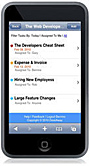
4DeskAway is a Web-based project collaboration software that provides teams a central location to easily organize, manage, share and track projects. With its mobile component, you’ll know that your work is going on smoothly when you’re in the field or away from your desk. 30-day free trial with a 30 percent discount to nonprofit organizations on all pricing plans.

Pidgin: Connect across chat applications
5Connect instantly with staff, volunteers and the rest of your community regardless of which instant messaging application they use with either Pidgin (for PCs) or Adium (for Macs). Both are free, open source downloadable applications that allow you to connect with almost anyone running AIM, MSN, Jabber, Yahoo, Google Talk, MSN, IRC, Facebook and other chat networks.

Mindmeister: Brainstorming made easier
6Mindmeister is a cool online mind mapping and collaboration tool that will help with your group projects and presentations. The basic version, for three mind maps (OK, it’s a fancy term for diagrams), is free.

Dropbox: Transfer videos & photos
7Need to transfer video files or batches of photos? Email maxes out at about 15 megabytes, which is enough for only 10 high-quality photos or so. We do like YouSendIt, which lets you send up to 2 gigabytes of files to anyone with an email address. But our favorite file-sharing tool is Dropbox, which comes with 2GB of space that you can use for as long as you like. It works with desktop computers and mobile devices (Windows, Mac, Linux, iPad, iPhone, Android and BlackBerry). Enjoy life in the cloud!

MediaFunnel: Assign roles for your team
8MediaFunnel offers an online dashboard that lets you coordinate and manage your social media presence. It supports multiple users on one or more Twitter accounts or Facebook Pages. You can set up user roles: guest, contributor, publisher and administrator, making it ideal for campaigns or specialized programs. Free trial.

WiserEarth: Connecting social activists
9Ever since Ning started charging nonprofits, WiserEarth has become our favorite place for forming instant online communities of action, helping the global movement of people and organizations work toward social justice, indigenous rights and environmental stewardship.

Hootsuite: Share a social media dashboard
10Create a social media dashboard using Web- based Hootsuite, Seesmic or the desktop app Tweetdeck. Segment constituents into groups, manage multiple contributors, monitor mentions, spread messages, assign tasks, track results, cross-post to Facebook, WordPress, Foursquare and get your social media game on.
Do you have a favorite collaboration tool? Please tell us in the comments!
Image at top by Ernst Vikne
Related
• Top 10 social media dashboard tools (Socialbrite)
• 12 social action hubs (PDF, Socialbrite flyer)JD Lasica, founder and former editor of Socialbrite, is co-founder of Cruiseable. Contact JD or follow him on Twitter or Google Plus.

 This work is licensed under a Creative Commons Attribution 3.0 Unported.




Awesome! Thank you for the DeskAway mention.
This is a fabulous list, thanks so much for compiling it!!
Sure thing, Kris, that’s what we do. :~) Sahil, I’ve downloaded DeskAway, now will have to try it out on one of my projects!
A number of non-profits are using SAP StreamWork for collaboration, problem solving, brainstorming, decision making, working with donors, etc.
Try it for free:
http://sapstreamwork.com
See Manna on Main’s story here:
http://www.sapstreamwork.com/news-blog/sap-streamwork-and-google-docs-help-manna-main-street-support-its-community
A brother get constipated, in the toilet will easily as then, is he strongly efforts of time, see a the elder brothers wind the same rushed into the toilet, into his side position, just went in and then there was a true the storm, the brother of envy to that elder brothers say: the elder brothers envy you ah,
The elder brothers say: admire what, take off pants haven’t? ~ ~wholesalers
Great list! Having worked for nonprofits for years I appreciate the need for easier ways to connect and collaborate and the need to keep cost down.
I would add two tool to your already great list:
Yammer – An in-house microblogging platform that works like Twitter but with a group of our choosing. It’s accessible from desktop and mobile and is an awesome way of keeping staff and volunteers connected to whats going on. https://www.yammer.com/
THOUGHTstream – An engagement and collaboration platform that helps nonprofit leaders collect and curate collective intelligence so they can make collaborative decisions and find crowdsourced solutions. http://www.thotstr.com/
(disclaimer – I’m the community manager for THOUGHTstream however I work for them only because I used the platform while working for a nonprofit and loved it)
A brother get constipated, in the toilet will easily as then, is he strongly efforts of time, see a the elder brothers wind the same rushed into the toilet, into his side position, just went in and then there was a true the storm, the brother of envy to that elder brothers say: the elder brothers envy you ah,
The elder brothers say: admire what, take off pants haven’t? ~ ~wholesalers
Thanks, Holly, sounds like that’s a solid choice for nonprofits.
Jamie, thanks the pointers. I love Yammer and probably should have mentioned it in the roundup. I didn’t know about THOUGHTstream so will to check it out!
Hello! I would like to propose you to add another alternative for project management called Doolphy. You can find more information about it at http://www.doolphy.com
Regards!
Thatnks for a great info. I would also recommend to look at this innovative social collaboration network provided by WorkCollaboration.com and tools to be able to work over the Internet using Private Network.
Work Collaboration system provides collaborative software and services to the individuals and businesses with a primary focus on delivering high quality project management software, content management system, video conference software, CRM, HRIS and services to enable first class of secure social collaboration and workflow.
100% Free for nonprofit and charity organizations, people with disability and non-commercial use.
If you register as a business company you will receive as a bonus your professionally tailored business plan.
See all collaborative features and compare to other companies
http://www.workcollaboration.com/services.aspx
Unified Social Collaboration Network Demo
http://www.workcollaboration.com/demos.aspx
It makes social media so much easier to to have my social media accounts in one place with Hootsuite! With the exception of Tungle.me (which I’ve also used and recommend) the others on the list were new to me. Thanks for the recommendations!
I’ve found the most effective collaboration tools are those that spread collaboration-encouraging features throughout the overall business management process, which few apps accomplish successfully as a result of narrow feature sets. Most collaboration apps focus on one aspect of business management, or are entirely separate from the other apps a business uses to manage itself.
The lack of integration between these tools is terrible for efficiency and is also quite costly. I would suggest going with a collaborative platform that considers the wider scope of business operations. WORKetc is a great example, as it integrates CRM, project management, and billing into one system – while bringing collaborative tools to every aspect of the program. Collaboration takes place on a business wide scale, and not too mention one is capable of managing their entire SMB/freelancing work through one web-based SaaS.
You can see WORKetc compared with similar collaborative tools here: http://www.worketc.com/compare
It,s amazing social media as much cutting edge IT tech.no and is changing highly speed ~~deeply thinking in the future …
A brother get constipated, in the toilet will easily as then, is he strongly efforts of time, see a the elder brothers wind the same rushed into the toilet, into his side position, just went in and then there was a true the storm, the brother of envy to that elder brothers say: the elder brothers envy you ah,
The elder brothers say: admire what, take off pants haven’t? ~ ~wholesalers
Collaborating on documents and holding teleconferences/web conferences with a team of people continues to be a challenge even with enterprise grade tools. We are working on a new tools called Paper Tablet that addresses both of these problems. Currently, when I am working on a document with others, I would print out the entire word, powerpoint, or pdf document, write comments on it, scan it, and email it back to my team to incorporate changes. We are working on an iPad app that will allow me to “print to tablet”, make changes electronically on the iPad, save it or send it to the team via email, thus bypassing the need to print out anything. The next phase is to create the ability to hold a web conference and collaborate live from the iPad. Check it out at http://www.tip9.com.
I like the free tool http://www.oogwave.com
I like the free tool http://www.oogwave.com
I like the free tool http://www.oogwave.com
I like the free tool http://www.oogwave.com
I like the free tool http://www.oogwave.com
I like the free tool http://www.oogwave.com
I like the free tool http://www.oogwave.com
You may find teamvoiceapp.com useful if you work in a distributed team and need to make decisions together – as a team.
Dear Friends,
The power of WCS allows you to be a part of versatile, secure collaborative network. For businesses: there is no limit to what you can do. Post jobs and projects, organize your work, collaborate with others and much more. For individuals: search for jobs and projects, participate in activities and use communication tools as part of a team network.
Try Work Collaboration system. Its a great tool to make your team in sync and productive.
See demo : http://www.youtube.com/user/WORKCOLLABORATION
See services included for $20 and $3 per each additional user
https://www.workcollaboration.com/services.aspx
Try it 30 days no credit card or strings attached.
https://www.workcollaboration.com/registration.aspx
Collaboration the way it meant to be.
Enjoy !!
Hi, I’m using BrainSqueezer.
It’s a collaborative brainstorming by design app for iPad.
http://brain-squeezer.com
This is a great list indeed! I like using the tool that shares social media dashboards. Cool online collaboration tools!
This is a great list, thank you so much for sharing! Lots of great things to keep in mind. What about pin.fm?
Know it’s a year old,but as this been revisited? I am the chairperson for a Relay For Life event, and am looking for a way to get my committee more active with each other rather than only talking once a month. Have looked at a few free offerings but I need something that is super easy to use because of the lack of technical inclination some of the committee possess.
Really good list
Yep ! kindness
I think the most pressing problem with most of these vendors is two-fold. First, most provide a single point solution (i.e. Dropbox, Skype) that tries to do everything. These are great tools, but they need to have a more user-centric approach outside of the feature they provide. Second, most of the collaboration tools lack of ease-of-use. Features are abundant but those same features (file sharing, micro-blogging, task management, etc), have become commodities. All the vendors have them. But not all the vendors have the same user adoption (Sharepoint anyone?). The reason of course is that users find them to be too complex. Most users are simple when it comes to using technology. But we NEED them as part of our online collaboration experience. I suppose the overall complexity is the dirty secret of most collaboration tools.
The biggest single complaint we hear: ‘Our customers and employees wouldn’t use them…’ This is why we’re using Centroy. They’re focused on dead simple ease-of-use. The layout even has a Facebook feel. Humans are a creature of habit. The more they’re familiar with, the more likely they’ll be comfortable using it.
Centroy seems to get this. They really nailed it. All the same fancy features and security are there (they came first). But as I mentioned before, the features are a commodity. It’s the ease-of-use that’s become an untapped opportunity. Check them out. There’s a live demo sandbox. http://centroy.com
Teamup Calendar, a free group calendar that does not require any user account or login to create and use. Easy to share with groups with modifying rights or read-only, etc. Multiple color-coded sub-calendars that can be shared selectively with desired permissions. Customizable with your own logo and identity. www.teamup.com.
Tools are very helpful – but it also takes turning team members into team players.
Check this free team collaboration assessment: http://collaborative-coaching.com/team-assessment
The assessment tests 12 key, evidence-based characteristics that separate mere good from high-performance teams.
I work with a team of 4 people scattered between Europe and Asia. Our main issue was that we were sharing ideas and having conversations using one set of tools and assigning tasks/tracking progress using another. We came up with a message board that allows for actionable conversations using twitter-like language. Please check us out and tell me if you agree with the problem we are solving. We’re currently in private beta so feedback from you guys is more than welcome! (it’s all free)
http://www.twoodo.com/virtual
Another great tool is Project Manager, http://www.projectmanager.com. It’s a collaboration and project management tool all in one.
If you want to really work in the field of ngos then you have to learn that SECURITY and PRIVACY is of BIG concern, as many organizations are watched not only by friendly state agencies. Therefore recommending services where you have no control about your data is totally inacceptable and unprofessional – please remove this post, it is a dangerous trap for unexperienced people. Thanks.
I have been using proofhub.com very successfully. It has integration with google drive, email reminders, task management. But what I really like about this product is very flexible permissions options. You can customize what your team or each member of your customer group can see or edit. Much better than Basecamp, which I also use.
I persoanlly checked out some of these tools for my projects and they worked just fine and I did not have to face any difficulties using any one of them. But apart from these my favorite project management tool is proofhub.com that beats all these listed tools.
Perhaps a better alternative that steps out of the way from cluttering collaboration is Docs9 – https://www.docs9.com
Majority of the purported features are in fact under-utilized where
instead many of us simply want a common ground to share, discuss, update
on topic discussed at hand.
Give Docs9 a try, it’s completely free, has zero-install, absolutely no configuration, and runs on all devices in any browser.
Great list
We used to use http://www.iprosh.com to manage our work and website