Socialbrite Archives: July 2011
How to get more Facebook fans with Sponsored Story ads

One way to acquire Facebook fans for your nonprofit is to use Facebook ads to promote your Page. But not traditional Facebook ads – Sponsored “Like Story” ads.
Facebook Sponsored “Like Story” ads are different from traditional Facebook ads in four ways:
- Like Story ads can be targeted to friends of current fans. This will take advantage of the idea that birds of a feather flock together.
- Like Story ads display the user’s friends who have already liked your Page (“John, Bill and Barbara like the National Wildlife Federation“). Facebook users are more likely to take action when they see that their friends have already taken that action (shown above).
- Users can “like” the Page directly in the ad. This eliminates any abandonment that might occur between the ad and your Facebook Page (shown above).
- Fans acquired are displayed in the user’s report in Facebook Insights. This allows you to see how these ads compare to other methods of acquiring fans.
How to hyper-target Facebook Page Like Story ads for your nonprofit
When you create a Sponsored Story ad, by default, you’re targeting the friends of your current Facebook fans. But you can refine your targeting even more:
Standard demographics – You can refine your target by age, age range, gender, marital status, and education. As you add these selections, you’ll notice that the “estimated reach” on the right gets smaller (as shown below).

Connections – This allows you to target connections of Pages you administer, Groups you belong to, Events you’ve been invited to and Applications you administer. These can be added by selecting “Advanced connection targeting.” You also have the option of targeting “non-fans” of your Page (as shown below).
This work is licensed under a Creative Commons Attribution-NonCommercial 3.0 Unported.
2 Comments
G-Team: Groupon’s program to support causes
How the power of collective buying is helping local cause campaigns around the country
Guest post by Patty Huber
G-Team Manager, Groupon
By now you’ve likely heard of Groupon, which allows consumers to get local deals on the best things to do, eat, see and buy in their own cities.
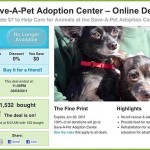
But do you know about G-Team, which uses the same concept of a collective buying power to connect people to causes in their local communities? G-Team, Groupon’s main philanthropic program, launched a year ago this month in Chicago and was modeled on the original vision for Groupon as a platform for collective action and fundraising.
G-Team provides a platform for organizations and causes to garner the support of their local community and even solicit money for campaigns or project-based initiatives. Through the G-Team page, nonprofits, cause organizations and individuals can apply to have their campaign featured.
G-Team runs campaigns that focus on project-specific ideas, allowing participants to see tangible results in their community. When a campaign goes live, the featured organization is encouraged to gather as many participants as possible to reach the tipping point. If enough people buy in, the project is funded and the campaign organizer receives a check to accomplish his or her intended goal.
G-Team campaigns are currently operating in 12 Groupon markets, and each week a new campaign is selected to be featured on the daily deal site for its city. The Groupon markets with G-Team campaigns include Atlanta, Austin, Boston, Chicago, Los Angeles, Minneapolis, New York, Philadelphia, Portland, San Francisco and Washington, D.C. In the coming months, G-Team will be expanding to about 70 more Groupon markets.
Continue reading »
This work is licensed under a Creative Commons Attribution 3.0 Unported.
0 Comments
Tips for making your Web content personal

Create blog posts that speak to an individual, not an audience
Regardless of how many people visit your website, there’s one person you need to be paying attention to:
The person reading your blog post or Facebook update right now.
I know what you’re thinking. “We get thousands of visits per day on our website – surely more than one person is reading our content at any given moment.”
This is true, but people don’t gather around a laptop to view your website.
Back when television was our main media source, it was not uncommon for people to participate in consuming its content in groups: Families, roommates, parties.
But consuming Web content is a personal activity we participate in as individuals. And this is why social media conversations should be considered as essentially being one to one.
Making content personal
Content is more effective when it’s perceived as “written for me.” Try these tips:
- Try writing your posts or updates in the second person (“you” instead of “I” or “we”).
- Think of someone you already know and write to them – as if you’re writing a personal email to them.
- Write to that person and that person only – don’t worry about alienating people.
- Write with a human, conversational tone – the way you would talk if they were sitting right in front of you.
- Try using Dragon speech-to-text tools to achieve this conversational tone.
This work is licensed under a Creative Commons Attribution-NonCommercial 3.0 Unported.
0 Comments
6 great productivity tools for social media pros

Plaxo lets you make and send your own greeting cards.
Plaxo, Boomerang for Gmail, Tungle.me, Toggl & more
Target audience: Marketers, strategists, nonprofits, NGOs, foundations, cause organizations, companies, brands, start-ups, bloggers, Web publishers, individuals. Updated on July 25, 2011.
Today we have so many more tools at our disposal that we’re spoiled for choice. Here are six productivity tools I really like that help ease my daily workload.
If you haven’t tried them yet, have a go. Or try one of the other Web 2.0 productivity tools that Socialbrite has marvelously chronicled.
Plaxo: A ‘universal’ address book
1Until recently, Plaxo was somewhat lacking as a social network, no matter how much it tried to Face-Twit-book-terify itself. Its strength, to me, lies in its original offering, which they’ve now refocused on: the “universal” address book that allows you to keep your contacts current even if you switch jobs, email services and so on. Now they’re offering a direct sync with Google Contacts if you’re a premium user (read, give them money, currently just under US $60 a year).
I am a premium user, which means I can keep my contacts current in both places, which will be useful should I ever stop using Google Contacts. Google Contacts also syncs with my BlackBerry, which means I really do have my contacts at my fingertips. These are great time savers – remember when you had to export your contacts as a .CSV file, import them, snore … ?
The other thing I really like about Plaxo’s offerings are its ecards. I use them all the time to schedule and send mostly birthday greetings to my friends, family and business contacts, which is another way of networking with a twist. This was one of the reasons I signed up for Plaxo’s premium service some years ago. I figured the resulting selection of additional ecards (you’re limited in your selection if you use the free service) would more than offset what I would otherwise pay to actually buy a card, mail it to someone, etc.
I also now use Plaxo to make and send our own greeting cards, which has cut down significantly on holiday postage. Yes, I send a lot of cards. It’s disappointing that Plaxo doesn’t know when I’ve already scheduled ecards and keeps emailing me reminders about various birthdays, etc., coming up. But that aside, the ecards are cool.
Boomerang for Gmail: Schedule your emails!
2This is something I’ve just started using and I really like it. Essentially, Boomerang for Gmail lets you draft and schedule emails to be sent at a particular time. This is an excellent way of ripping through your work when you’re on a roll, yet not scaring people into thinking you’re a sleepless work demon when they receive emails from you at 2:43 am. You can also decide when you want to respond to email by telling Boomerang when you want to “receive” it, i.e. read something that’s already come into your in-box. I’m not quite sure how useful this is because if I’ve already read it, chances are I’ve already decided whether or not I’m going to reply to it, whether it’s spam or whether I label/star it, etc. But I’ll go with the flow.
Boomerang for Gmail recently became available for download without an invitation code. Once you download and install Boomerang, you’ll see it in the top-right corner of your Gmail screen. I tested it almost immediately and after a couple of missteps – I had a pop-up blocker that I needed to disable – it worked perfectly. Note: if you look at your draft after you have saved and scheduled it, it won’t work. At least for me.
Their customer service is also pretty good. When it wasn’t working for me, I emailed them and got a reply almost immediately from their CEO. Nice!
Tungle.me: Collaborative scheduling
3I’ve said it before and I’ll say it again, I love Tungle. When people use it instead of email to schedule meetings, it really saves time. I’ve been including it in my e-signature for a while now, and have incorporated it into my website as well as my Waxing Unlyrical blog. Check it out and I’m pretty sure you’ll become a fan.
Continue reading »
This work is licensed under a Creative Commons Attribution-NonCommercial-ShareAlike 3.0 Unported.
One Comment
How GLIDE fights for social justice
One of San Francisco’s largest social services agencies is living its core values — and growing its impact
Guest post by Stacy Coleman
Vivanista
Located in the Tenderloin, one of San Francisco’s harshest urban environments, GLIDE is an oasis that has served poor, homeless and disenfranchised individuals, families and children for more than 45 years. A leading organization for social justice, GLIDE’s core values are rooted in empowerment, recovery and personal transformation for the community it serves. Those values also guide its mission to create a radically inclusive, just and loving community mobilized to break the cycles of poverty and marginalization.
Since launching its first social services in 1969, GLIDE has continually built on its strong foundation of acceptance of and connection to its community and has evolved into one of the largest social services agencies in San Francisco. GLIDE now provides support services that range from meals, housing, primary and behavioral health care, substance abuse recovery, domestic violence abatement, family services, youth literacy, nutrition and wellness programming, housed in five buildings.
I spoke with GLIDE’s communications manager, Joyce Sood, about how the organization continues to thrive in a changing economic environment and its approach for scaling impact. Sood says one of the approaches it takes to quantifying the impact of its programs is by putting into place a strategy and evaluation team. The team looks at each of GLIDE’s programs individually and tracks participant demographics, program services and client outcomes. Each year, GLIDE programs conduct client evaluation surveys to gauge the effectiveness of the program and inform new program integration, design and strategy.
The constant evaluation that GLIDE performs has allowed the organization to consistently expand its services. Twelve years ago, GLIDE built a model housing program for support services and mixed population homeless individuals and families. Sood says the program has served as a nationwide model for affordable and low-income permanent housing. Over the past two years, under the GLIDE Economic Development Corporation entity, GLIDE has built two additional affordable and low-income permanent housing buildings for working families and for homeless individuals, she says.
Continue reading »
Another way that GLIDE is able to continually provide a comprehensive set of services is by partnering with a range of funding partners, which includes corporations such as Wells Fargo and GAP, government agencies such as the the San Francisco Department of Children and the California Department of Education, as well as non-profit and private foundation partners. GLIDE has a 23-member Board of Trustees who works with staff to strategize fundraising, partnership building and other means of raising funds for the agency. In addition, GLIDE has an 11-member Legacy Committee of young professionals who work with staff on fundraising events and to cultivate partnerships with next generation audiences, Sood says. Partnering with corporations and professional organizations also helps to spread the word and raise awareness about GLIDE among the younger generation.
0 Comments
How to create a more social website

Integrate social components into your site’s design and function
By Debra Askanase, Socialbrite
and Seth Giammanco, Minds On Design Lab
If you’re considering revamping your website to include social elements like the Facebook Like button, streaming from YouTube, or adding information from a social site through its API, it can be overwhelming to know where to begin. There are many ways to “get social,” and so many reasons for doing so. Primarily, it’s about creating a fundamentally engaging experience for the website visitor that brings them closer to your organization.
The process of considering how to get social starts with considering goals.
Why integrate social into your website?
Ask yourself: what do you want to accomplish for your organization using social media? Having a goal seeks to address why you might want to make your website social. By thinking first about the goals, you clear a path for the decisions around which tools you’ll use to get there.
There are five main reasons for integrating social media with your website:
- To build followers within the nonprofit’s social media spaces
- Create on-site engagement
- Develop a sense of community on the website
- Raise funds
- Create a call to action
In our review of many social websites, we noticed that some websites have at least two primary goals for placing social media on their website. Think about separating your goals into “priority” and “lesser priority.” Don’t be afraid to begin with one or two primary goals, while testing frequently at the outset to see whether or not your goals are being achieved. Gradually, you can add more social media integrations as your initial goals are achieved.
Categories of integration
Categories of integration address what you might do to meet your goals, and how you would do it. While reviewing websites, we specifically looked at the different types of social media that organizations were integrating into their websites. We categorized the (almost limitless) social media integration possibilities into six categories:
- Show
- Share
- Interact
- Co-create
- Authenticate
- Open source
Each category is exhibited by different tools, technology, and/or approaches. Here are some examples of categories and how they might be implemented within a website:
- Show – Recent Tweets, Likes, Comments
- Share – Like & Tweet Button, E-Card, Fwd to Friend
- Interact – FB Live Stream, Hashtag (Tweet Chat), Comments
- Co-Create – Shared Content: Mapping, Mosaic, Wiki, Links, Games
- Authenticate – FB Login, Twitter OAuth
- Open Source – API
Some of the items above are simple widgets and plug-and-play doodads that allow one to take a little snippet of code and incorporate it onto a Web page. With services like Disqus, even complicated features like comments can be added to a page in literally minutes.
On the other end of the spectrum, there are uses of technology to create unique “co-create” opportunities, if not open opportunities, where content can be made available through APIs and syndication for others to use. Check out the Brooklyn Museum’s API documentation for some pretty advanced tech sharing.
Continue reading »
This work is licensed under a Creative Commons Attribution-NonCommercial 3.0 Unported.
3 Comments
6 ways to integrate your nonprofit email list with social media

Growing an email list and a Facebook fan base for your nonprofit can sometimes feel overwhelming. Sometimes you wish you had only one channel to grow and manage.
To help make things easier, following are six ways you can integrate your nonprofit email list with social media.
Include follow and fan links in your email template

1If you’re using a service like Aweber or Mailchimp, you’ll want to add links to either the footer or sidebar of the email template (I have mine at the top). This allows email subscribers to easily follow or fan your nonprofit.
Make messaging the same
2Many times your email messaging and your Facebook content has different messaging. This might be the case if these two channels are handled by different groups.
One way to keep your messaging consistent is to use Personas. Personas are personified models of the various different segments you target.
But make the content different
3A question your subscribers ask is, “Why should I become a Facebook fan when I already subscribe to the email list?”
One answer is to create different content on each channel. For example, you can use your email list as a way to share deeper stories around outcomes, and Facebook to share photos and videos about those stories.
Continue reading »
This work is licensed under a Creative Commons Attribution-NonCommercial 3.0 Unported.
4 Comments
How Google’s +1 button will change search
In late March, Google announced the arrival of its version of the “Like” button, the +1 button, and the world waited to find out what that would really mean. With the launch of Google Plus, it’s pretty clear that “+1″ and Google Plus, Google’s brand new social network, are Google’s play for social graph domination. While Google Plus has been all the rage the past two weeks, one overlooked point is how the +1 button will change the way we search, interact with search results and use the Web in the future.
Google holds about 64 percent of the total search market. Though Google lost some market share last year to Bing, this should change with the use of Google’s +1 button. In fact, a recent study of 10,000 of the Web’s largest sites found a 33 percent surge in the number of sites adopting +1 in the last few weeks.
What is the +1 button?
In its simplest form, +1 is a button for individuals to publicly share what content they enjoy on the Web. As explained by Google:
“+1’ing is a public action. Anyone on the web can potentially see that you’ve +1’d content when they’re searching on Google or viewing content you’ve +1’d. For this reason, you should only +1 pages when you’re comfortable sharing your recommendation with the world.
Your +1’s may appear to anyone who sees the pages you’ve +1’d. However, we’ll try to display your +1’s to people (specifically those in your social connections) who would find them most useful. Similarly, the +1’s you see will typically be from people in your social connections.”
This work is licensed under a Creative Commons Attribution-NonCommercial 3.0 Unported.
0 Comments
How DoSomething engages young people
Make it easy to participate, make it mobile — and don’t forget the fun!
One of the great success stories of online advocacy has been DoSomething.org, a not-for-profit that encourages young people to use the power of online to “do good stuff offline.”
Last fall I moderated a panel at BlogWorld Expo with DoSomething chief technology officer George Weiner, and last month I co-presented a Social Media for Social Good bootcamp at the National Conference on Volunteering and Service with George.
— George Weiner
So during a brief break in the action I got him to talk about how DoSomething spurs 1.2 million young people a year to take action on behalf of a social cause they care about.
“Young people have this amazing thing they can do that doesn’t require car, money or an adult,” he says. Simply put, any young person — 25 or younger, with a sweet spot of 16- to 17-year-olds — can launch a social cause campaign about any cause they feel passionately about.
The nation’s largest cause site for young people, DoSomething has about 30,000 cause projects started by young people.
Watch, embed or download the video on Vimeo
Success comes down to a combination of factors

The annual DoSomething Awards airs on VH1 in August.
The site’s success comes down to these factors:
• They make it easy to participate by lowering the barriers to entry.
• They’re laser-focused on catering to young people.
• They make it easy to take part in campaigns via mobile devices.
• They try to make causes fun by emphasizing use of participants’ social networks.
Continue reading »
This work is licensed under a Creative Commons Attribution 3.0 Unported.