Social media consulting services

Socialbrite Archives: January 2012

January 31, 2012

12 ways to use Pinterest for your nonprofit


Try out the funnest visual social network on the Web

Target audience: Nonprofits, foundations, NGOs, social enterprises, cause organizations, brands, businesses, Web publishers, educators, general public.

Guest post by Noland Hoshino
[B]cause Media 

There is a new darling in the social media world and her name is Pinterest. It’s a virtual, interactive bulletin board where individuals, businesses, and nonprofit organizations can pin their interests and drive traffic to their website.

What is Pinterest?

Pinsterest is basically an online scrapbook that you put together while surfing the Internet. According to the website, “Pinterest is a virtual pinboard. Pinterest allows you to organize and share all the beautiful things you find on the web. You can browse pinboards created by other people to discover new things and get inspiration from people who share your interests.”

Create Pinterest boards with a specific purpose in mind, like Humane Society of New York’s Woof – Adopt A Dog

Although Pinterest is chiefly being marketed to women between the ages of 25 and 44, an increasing number of visitors have taken to the social platform: more than 4 million users a month, Mashable reports.

I know what you’re thinking, “Argh, not another social media platform I have to manage. I can barely keep up with updating my Facebook page, or Twitter account, or Google Plus.” But Pinterest is different, which is important to their success because the field is already crowded with so many social networks, apps and widgets, and soon-to-be copycats (MingleWingPiccsy).

How does Pinterest work?

You build a collage of images by pinning them to your Pinterest board. It can be done in three ways: Use the Pinterest “Pin It” bookmarklet while perusing the Internet, upload your own images, or re-pin other users’ images to your Pinterest boards that you’ve created and organized.

For example, I’ve created several Pinterest boards: Nonprofits on Pinterest, Social Good MarketingGood Designs That Shine, Hugs My Soul (Motivational Quotes), to name a few.

Continue reading »


8 Comments
January 30, 2012

Facebook Timeline apps: A new way to engage
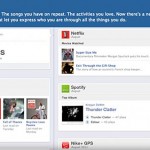
 

Move signals a game-changer for how brands and organizations will use Facebook

Target audience: Nonprofits, foundations, NGOs, social enterprises, cause organizations, brands, businesses, Web publishers, educators, general public.

Debra AskanaseOn Jan. 18, Facebook introduced Timeline apps, along with a list of the first 60 Timeline apps that are approved and ready for Facebook users. (A user’s profile is now his or her “timeline” of activities.) Timeline apps are the next iteration of Facebook’s Open Graph, Facebook’s way of connecting users to Facebook through real-time actions on the Web.

Facebook is promoting this as the new way to know what your friends are doing, in real time. I’m a bit more realistic: This roll-out offers Facebook and application developers a lot of information about what you like to do.

I think this is a potential game-changer for how brands and organizations will use Facebook. The apps offer greater exposure within Facebook to potential supporters, and more information about your supporters on Facebook. I’m personally a bit doubtful about whether or not it will deepen online engagement, which I consider at the end of this blog post.

What is the Timeline app?

In simple language: Version one of the Open Graph was a Facebook user Liking things on the Web and connecting those actions integrated back into Facebook. For example, you clicked “like” on a website, and that like showed up as “your name likes name of website/brand/product” in the newsfeed.

Version two extends the concept: A Facebook user may add a Timeline application to his/her Timeline, and every time the user takes an “action” related to the application, the app updates the user’s ticker (the right-hand side home page scroll) with a notice that the user has taken an “action.” Facebook explains, “We are now extending the Open Graph to include arbitrary actions and objects created by 3rd party apps and enabling these apps to integrate deeply into the Facebook experience.” The Open Graph can also be used to graph anyone’s use of certain actions that are officially integrated with Facebook, such as clicking Like on a website.

Here’s an example of a Timeline application I’m using: I belong to Goodreads, a book-reading social site. Goodreads has developed a timeline application. I first enabled the Goodreads app for my personal Timeline.

Continue reading »


One Comment
January 27, 2012

5 tips to help you create visually stunning websites

web-design
Image by Angela Waye for BigStock


How to turn your nonprofit’s website into an engaging, high-traffic destination

Target audience Nonprofits, NGOs, cause organizations, social enterprises, businesses, brands, Web publishers, Web programmers.

Guest post by Al Lunt for TechSoup

Holding the interest of new visitors and encouraging them to explore the website is important for nonprofits for a simple reason: They are an idea, an encapsulation of your nonprofit’s mission and goals. And that requires careful consideration of the visual factors that will keep users on your website long enough to absorb your intent.

According to award-winning multimedia designer and producer Mike Schmidt at mowhawkstreet.com, creating an “emotional connection is often the driving force behind these sites, but is also the driving force behind most marketing.” With limited financial resources and regular reliance on volunteer help to build and maintain websites, nonprofits face a daunting challenge in creating sites that can make those emotional connections with users.

Below are five basic tips to help nonprofit Web builders create visually enticing websites. Successfully implementing them could turn a mediocre but usable nonprofit website into an engaging, high-traffic site through enthusiastic word of mouth.

Create a clutter-free home page, encourage exploration

1 A cluttered home page that is overwhelmed with too much text or too many graphics may drive away prospective donors. The home page is often the first impression of a nonprofit that a user sees. It should never be thrown together haphazardly just to establish a Web presence. Network for Good, a nonprofit that provides fundraising ideas for other nonprofits, recommends striving “for simplicity and clarity in design. Your home page should be attractive and engaging, but uncluttered.”

Girleffect.org

GirlEffect

Girleffect.org targets younger people sympathetic to the plight of young girls in developing nations. The home page above the fold has only four navigation choices: Home, Learn, Give, and Mobilize. Scrolling below the fold reveals the call to action “3 Things You Can Do Right Now” – Donate, Spread the Word, and Learn. Fewer choices encourage exploration.

Continue reading »


2 Comments
January 26, 2012

Does Facebook work for fundraising?

The difference between fundraising with Facebook and collecting donations with Facebook

Target audience: Nonprofits, foundations, NGOs, social enterprises, cause organizations.

John HaydonAre nonprofits raising any money with Facebook? The answer really depends on how you define fundraising.

I recently appeared as a guest on Tony Martignetti’s NonProfit podcast. The topic of this particular podcast was how nonprofits can best use Facebook. One thing Tony and I talked about was the difference between fundraising with Facebook and collecting donations with Facebook — and how understanding the difference is absolutely critical.

Facebook stinks for collecting donations

Razoo recently published research showing that 33 percent of online donations come from e-mail appeals, while only 7 percent come from Facebook. However, it would be a mistake to conclude that Facebook is a waste of time.

Facebook is awesome for fundraising

Making a value judgment on Facebook based only on donations received completely overlooks the inherent value that Facebook offers. Facebook creates awareness for your campaign.

Continue reading »


4 Comments
January 25, 2012

First steps in measuring impact for your nonprofit


Image by Eraxion on BigStockPhoto.com

Guest post by Julie Macalik
Greenlights for Nonprofit Success

The first step in starting to measure your impact is to identify the major outcomes that you want to examine. To be successful you’ll need full management support and a dedicated key project lead for your team. This person will take the helm on laying out tasks in a sequence, informing other staff of their roles and assignments, and providing assistance to people as they complete their parts of the evaluation.

The standard nonprofit data points come from fundraising, communications, programs, and finance, so consider these sources when gathering your team. For example, a representative from the fundraising department can make sure you consider when your funders’ reporting cycles are so that you are producing outcome measurement results at a time that aligns with their requests for information about your programs. Also, those most directly affected should provide meaningful participation, so don’t forget about your front-line staff directly involved in providing services.

Next, you’ll want to select the outcomes that you want to examine and prioritize them. For each outcome, specify what observable measures, or indicators, will suggest that you’re achieving that key outcome for impact. After you’ve made your selection, you can then identify what information is needed to show whether you’ve succeeded.

There are many types of technology and other management tools available to assist in this process, and now is the time to take stock of your technology and the tools you’re going to use to track your data. Decide how information can be efficiently and realistically gathered using the different methods that are best for your organization, including:

  • Surveys: Consider what features you’ll need. If you’re just looking to get your feet wet with a quick survey, one of the many free or low cost online survey tools will do the trick. In fact, a more sophisticated survey package could be considerably more difficult to use. On the other hand, if you’re looking for survey software to support rigorous research, the more advanced packages are more likely to have the features you need.
  • Interviews and focus groups: The desired outcome of this type of method is to solicit data without any influence or bias. This also allows you to develop a relationship with clients or other key stakeholders and get a full range of information. One benefit of focus groups is the ability for participants to feed off each other’s energy and bounce ideas off one another. Consider using an outside facilitator to help develop questions and protocol and to help identify themes from your data.
  • Continue reading »


0 Comments
January 24, 2012

How to use Facebook as an administrator vs. as a person


Tips for how to toggle between your Facebook Page and personal profile

Target audience: Nonprofits, foundations, social enterprises, cause organizations, NGOs, brands, businesses, Web publishers, educators, journalists, general public.

John HaydonFacebook is a raging river most days. And that raging river can either feel like an exciting ride or a complete terror.

One thing that makes a huge difference is whether you can tie your tiny raft together with other rafts so that together, you achieve more than you could as individuals.

This video shows you how to Facebook (verb) as a Page:

  • How to log in as a Page
  • Viewing your notifications
  • Viewing your most recent fans
  • Viewing a summary of your Page stats
  • Engaging with other Pages in your Page News Feed
  • Re-posting updates from other Pages
  • Tagging other Pages in updates
Are you using Facebook to nurture partnerships?


One Comment
January 23, 2012

A day of social media at the United Nations

Target audience: NGOs, nonprofits, foundations, social enterprises, cause and advocacy organizations, educators, general public.

JD LasicaWe’re still winding down after a whirlwind day Friday at the United Nations. At the invitation of Amine Lamrabat, Socialbrite sent Shonali Burke and myself to give a presentation on how NGOs (international nonprofits, chiefly) working with the UN can use social media to create impact and advance their causes.

This was one of the most rewarding and invigorating gatherings I’ve attended in quite some time, for both the knowledgeable give and take as well as the astonishing scope of the social good being done by the people in the room. Among those attending were representatives of Mercy International Association, Global Action to Prevent War and Armed Conflict, the Norway Mission to the UN, the American Cancer Society, representations from throughout the UN and many others.

Here’s a Flickr set of 32 photos I snapped. Some of the topics that came up during our talk included:

How do we scale a campaign to 1 million signatures? Our answer: Set realistic goals. Approach the campaign in phases. Build up a community of support and deputize supporters to participate on your behalf. Learn from past mistakes. Depending on your budget, consider using a large advocacy platform like Care2.

How should we deal with an autocratic regime? From China to Myanmar to Iran, we’ve seen examples of governments that won’t hesitate to crack down on pro-democracy dissidents. Advocacy groups like Witness have learned a great deal about protecting the identity of pro-democracy activists, so absorb their learnings. (See a Witness official’s guest post on Socialbrite on What are our ethical responsibilities when recording video of people under oppression?) Follow Rebecca MacKinnon on Twitter discussing China and cyber-activism. See the latest Netizen Report on Global Voices Advocacy. And also see the brilliant work-around Tunisian human rights activists undertook by geotagging stories of human rights abuses around the presidential palace using Google Earth, Google Maps and YouTube.

Continue reading »


Creative Commons Attribution 3.0 UnportedThis work is licensed under a Creative Commons Attribution 3.0 Unported.

3 Comments
January 20, 2012

How NGOs can use social media to combat poverty


Socialbrite presents at the United Nations today

JD LasicaToday my Socialbrite partner Shonali Burke and I are giving a presentation to NGOs (nongovernmental organizations) at the United Nations.

Back in November, an invitation flew into our laps from Amine Lamrabat of the Civil Society and Outreach Unit (CSOU), Division for Social Policy and Development (DSPD), Department of Economic and Social Affairs (DESA). By gosh, when it comes to acronyms, nobody beats the UN!

The department is focusing in the new year on marshalling resources to combat poverty — quite a challenge, considering up to 80 percent of the world’s 7 billion people live in poverty or near-poverty conditions. (See stats from the World Bank.) So we tailored our presentation to highlight the work of some international nonprofits that are making an impact, especially in the developing world (or Global South, as some call it), including:

Send a Cow, a UK-based nonprofit that is helping African farmers create a sustainable ecosystem and a process of paying it forward. Farmers who are helped, with training on how to grow crops in harsh climates, agree to pass that knowledge on to other farmers — along with a first-born calf. Send a Cow helps African farmers grow enough food to feed their families, sell their produce, start small businesses and rise out of poverty. They do a nice job with their website, produce high-quality videos and are growing a fan base on Twitter and Facebook, though we couldn’t spot any online fundraising or mobile efforts.

USA for UNHCR’s Blue Key campaign, which Shonali is overseeing, has built a nice community over the past year, with occasional tweet-a-thons to raise funds, $5 per key, and awareness about the plight of refugees.

• In my view, charity: water has made the most astonishing use of social media and new media, with breathtakingly good videos, multimedia, photography and smart ways to mobilize social networks. Check out the story of charity: water video they did for their 5-year anniversary as well as the new WaterForward campaign. Also, see the video How charity: water changes lives through multimedia and find your charity: water project on a map — I’ve been using on that in my presentations for years.

Continue reading »


Creative Commons Attribution 3.0 UnportedThis work is licensed under a Creative Commons Attribution 3.0 Unported.

One Comment
January 20, 2012

How to create Facebook Timeline covers for your nonprofit’s supporters to use

John HaydonBy now you’re probably aware that your personal Facebook profile has been upgraded to the new Timeline layout, which features a large image, or cover, at the very top.

Nonprofits and organizations don’t yet have the ability to create their own Timeline or use the new layout features — but their supporters can. Many organizations, like the Best Friends Animal Society, or Ocean Conservancy, are creating covers that supporters can use on their Timeline on behalf of the nonprofit. See the example Beth Kanter is using above; she was touting the Ocean Conservancy last week.

Notice that there is no hard-sell pitch for donations (which could violate Facebook’s Terms of Use). Rather, the covers are “lightly branded” beautiful photographs of animals, ocean life or related causes.

How to create a custom Facebook cover for your nonprofit

The easiest way to create a custom Facebook cover for your supporters to use is to get a designer to create one using Photoshop.

Have your designer use the dimensions shown below, or download this Photoshop template (zip file),

Continue reading »


6 Comments