(925) 600-7641


A roundup of guides on how to use blogs, Facebook, Twitter & more
Here are tutorials our team has created to help show nonprofits, cause organizations, businesses and individuals how to effectively use social media, divided by subject area.
For even more, see the Sharing Center, our posts on resources, tools and video interviews.
• Social media
• Blogs
• Facebook
• Twitter
• Video & multimedia
• Fundraising
• Mobile
• LinkedIn
• Google Plus
• Pinterest
Social media

How to build awareness for your campaign
Guest post by Mary Joyce
March 2013
Tools & tips: Whether you run a nonprofit, a social enterprise or a cause organization, it’s likely that at some point you run up against the barrier we’ve all faced: How do I get the word out about this amazing campaign? Here are seven steps that we’ve found make a good blueprint on how to build visibility and awareness so that you can then move people to take action and create impact.
Attracting young people to your nonprofit
Guest post by Alison Richmond
easyfundraising.co.uk
March 2013
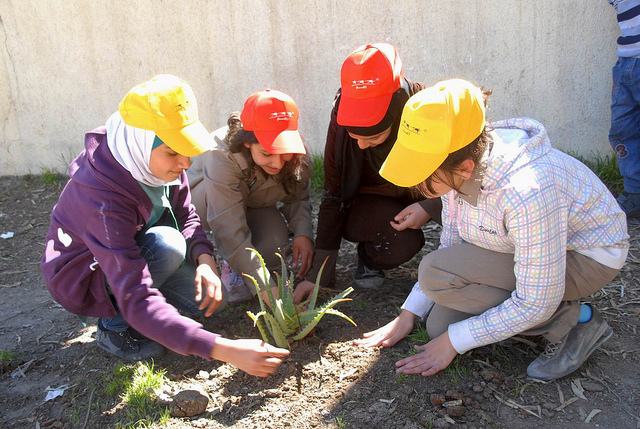
Tools & tips: Young people can be an incredible source of volunteers for nonprofits – they tend to have much more spare time than adults and often see volunteering as a good way to gain work and life experience to add to their resumé. But attracting young people can be difficult. DoSomething.org has released an index in which they interviewed young people discussing their attitudes toward volunteering. With their suggestions in mind, here are some steps toward attracting young people to your nonprofit.

How to successfully harness your email list for your cause
Guest post by Susannah Vila
February 2013
Tutorial: Collecting email addresses and using them to mobilize your supporters is one of the simplest but most important tactics for online organizing. Look over these tips for how best to turn a list of e-mails into a powerful tool for activism.
Create a social media policy for your nonprofit
Guest post by Andrea Berry and Ben Stuart
Idealware
February 2013
Tutorial: A good social media policy will provide clear guidelines as to what staff should and shouldn’t do when posting and interacting with the community on a day-to-day basis, freeing them up to think more strategically. Here are the different components in creating a good social media policy for your nonprofit.
9 powerful, simple ways to build your email list
Producer: John Haydon
January 2013
Tools & Tips: If you’re not building your nonprofit’s email list (and increasing your open and click-though rates), you are missing out on a huge opportunity to retain and attract donors. This is because people prefer to donate via email.
Here are nine simple ways to build your list.

3 analytics tools to gauge your social audience
Guest post by Ritu Sharma
Social Media for Nonprofits
November 2012
Tools & Tips: In line with the focus of Beth Kanter’s new book, Measuring the Networked Nonprofit: Using Data to Change the World, on turning data into knowledge through powerful, insightful measurement and analytics of social media efforts, we wanted to share three simple tips and resources that nonprofits can put to work.
12 ways measuring can empower your nonprofit
Producer: John Haydon
October 2012
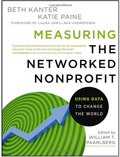
Tutorial: If you’re like most nonprofit professionals, you’ll eventually admit that you could do a better job of measuring. Most nonprofits are struggling with the challenge of measuring relationships, which is essentially what social media is all about. To help you keep your eyes on the prize, Beth Kanter and Katie Paine detail the benefits of measurement in their new book, “Measuring the Networked Nonprofit.”

3 simple, practical social media tips for nonprofits
Guest post by Ritu Sharma
Social Media for Nonprofits
October 2012
Tutorial: Here are three of the simplest, most practical tips some of our 100+ presenters (including Socialbrite’s JD Lasica and John Haydon) of the Social Media for Nonprofits Conference have shared with the 3,500+ nonprofits we’ve educated to date.

6 ways to supercharge your Google Grants account
Guest post by Dennis Yu
CEO, BlitzMetrics
August 2012
Tutorial: You’re excited that you’ve been approved for Google Grants: $10,000 a month of free ads! But what do you do next? Here are 6 ways to supercharge your Google Grants account.

How to create clear objectives for your nonprofit’s website
Producer: John Haydon
August 2012
Tutorial: If you’re creating a new website, or redesigning your current website, you absolutely must start with clear objectives. This way, you’ll save time deciding which website platform best suits your needs, and you’ll also and have a clear framework for your design. Here’s how to create clear objectives for your nonprofit’s website.

How to take engagement to the next level
Producer: Debra Askanase
August 2012
Tutorial: Listening is the first step in social media. You have to listen to what others are saying about you before you jump into the fire. Listening will tell you what people are saying and where they are saying it, so you know where to get started. Here are five free tools the author recommends to get started.

5 free tools for social media listening
By Carie Lewis
Humane Society of the United States
July 2012
Tutorial: Listening is the first step in social media. You have to listen to what others are saying about you before you jump into the fire. Listening will tell you what people are saying, and where they are saying it, so you know where to get started. Here are five free tools the author recommends to get started.
4 tools to make your social media life easier
By Carrie Romanazzi Chwierut
July 2012
Tutorial: Here are a few tools that will make your social media life easier: HootSuite, Google Reader, Twitter Lists and Facebook Scheduling.

3 key tools for managing social media
Shonali Burke
July 2012
Tutorial: When it comes to staying on top of social media, one of the big challenges we have is to find the social media tools that will help us achieve a happy medium between curating, listening, engaging and producing content. There are a ton of tools — and here are three that the author believes are key.

5 tools to help you master Pinterest
Guest post by Beth Kanter
June 2012
Tutorial: Pinterest is a curation tool to organize and share visual content in a visually pleasing way. Here are five Pinterest stat sites that may help you get a sense of the users and whether or not Pinterest is a good fit for your content.

4 reasons why cross-posting is a bad idea
Producer: John Haydon
June 2012
Tutorial: Cross-posting the same content across various social media channels seems like a great idea on its surface. You have a great piece of content, why not kill four birds with one stone by posting to Facebook, Twitter, LinkedIn and Pinterest with a single mouse click? After all, this feature is available in every social media management tool. Isn’t cross-posting an industry “best-practice”? Here are the reasons why cross-posting may not be ideal.

7 ways to create a fiercely loyal nonprofit community
By Sarah Robinson, Fierce Loyalty
May 2012
Tutorial: The strategies and approaches for community building are changing. And gaining fierce loyalty from your community is becoming increasingly difficult. There is just so much out there competing for the attention and heart of your members that doing things the same way you’ve always done them will no longer yield the results you’re after. To help you shift your lens on creating and maintaining a nonprofit community, here are seven ways to create a fiercely loyal nonprofit community.

Measure social media traffic with Google Analytics
Producer: John Haydon
April 2012
Tutorial:The video in this tutorial will show you how to measure traffic from supporters using social media. You’ll be able to set up Advanced Segments to determine in-bound traffic from multiple sources and combine them into buckets that make sense. You can then see how traffic from Facebook and traffic from Twitter compare.

5 steps to set up your measurement program
Producer: Shonali Burke
March 2012
Tutorial: Don’t have a large budget or access to fancy dashboards? Follow our five-step exercise in creating a practical measurement program for public relations .

How to set up a metrics program
Producer: JD Lasica
February 2012
Tutorial: Why measure? To help inform decision-making about your nonprofit, brand or cause. To test messages, services, campaigns or products before launch. To do market research into constituents or supporters. To gather data about supporters’ giving habits. To find out what kinds of blog posts and Facebook status updates resonate with your community. Here are eight steps to set up your own metrics program.

5 tips to create visually stunning websites
TechSoup
January 2012
Tutorial: Here are five tips to help nonprofit Web builders create visually enticing websites. Successfully implementing them could turn a mediocre but usable nonprofit website into an engaging, high-traffic site through enthusiastic word of mouth.

How to use Google Insights for your nonprofit or business
Guest post by Frank Anderson
GreenMarketing.tv
January 2012
Tutorial: Google Insights gives people access to what people are searching for on Google. Learn how to use Google Insights for your nonprofit or business.

How Google+ Ripples can move supporters to action
Producer: Debra Askanase
December 2011
Tutorial: Google+ Ripples is the first set of metrics we’ve seen from Google around Google+. It hints at what is to come from Google, and also offers Google+ users relevant information about the use of circles, G+ influence, and how data is spread.

5 tips on writing knockout social media content
The Academic Support Link
December 2011
Tutorial: In 2011, people are tweeting 200 million times a day. With that kind of competition, your target audience can jump ship before you can say “nanosecond.” What’s going to keep them glued to your information and coming back for more? Here are tips on how to make a long-lasting impression.
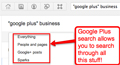
4 ways to create content with Google Plus
Producer: John Haydon
December 2011
Tutorial: Lately, I’ve been using Google Plus as a way to find, collect and create content. Here are some examples of what I’ve been doing.

The difference between Google Plus Pages & Profiles
Producer: John Haydon
December 2011
Tutorial: Now that you have Google Plus Page for your nonprofit, here’s an explanation of the difference between Google Plus Pages and Profiles. Google Plus Profiles and Business Pages have differences similar to those of Facebook Profiles and Pages.

Tips for your nonprofit to succeed with Google Plus business pages
Producer: John Haydon
November 2011
Tutorial: Here are steps for making the most of how to use Google Plus for your business or organization.

Free tools to help geo-target your socialsphere
MarketMeSuite
November 2011
Tutorial: Keyword searches in Twitter can be useful in increasing audience and even gaining supporters, but it’s also time consuming. It becomes quite labor intensive to conduct a local search through Twitter for supporters in your area, and it can be difficult to keep track of replies and streamline your results. Fortunately, there are methods and tools for conducting targeted searches. Here’s a guide to help your organization incorporate geo-targeting so you can not only interact with people who are interested in your cause but also those who are local enough to participate and get involved in person.
First impressions of Google+ Pages for nonprofits
Producer: Debra Askanase
November 2011
Tutorial: Does using Google+ Pages makes sense for your nonprofit? Learn how you can use Google+ to meet your SMART goals, and how it will help your organization further its mission.
How to create a Google Plus business page
Producer: John Haydon
November 2011
Tutorial: Creating a Google Plus page for your nonprofit or brand can increase the visibility of your organization. If you make the information on your Google Plus business profile available to everyone on the Web, then your page URL will also appear in Google searches, making it more likely that your organization will be discovered.
How to use LinkedIn pages for your nonprofit
Producer: Noland Hoshino
November 2011
Tutorial: Noland Hoshino shares three ways you can use the new LinkedIn Company Pages to bring out the human side of your nonprofit. Recently, LinkedIn has made some changes that allow your nonprofit to have more of a presence on LinkedIn. Noland talks about the ways nonprofits can optimize their Company Page and bring more attention to their cause.
10 lessons learned on the road to social
Producer: JD Lasica
November 2011
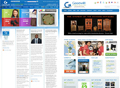
Tutorial: SF Goodwill launched a top-to-bottom new website at sfgoodwill.org as well as two new blogs, Bay Area Impact and Seismic Thrift. The undertaking was ambitious, replacing a largely static brochureware-style site built on a .NET framework with a more dynamic website and a set of community blogs that require continual care and feeding. Here are 10 lessons we learned and decisions made in going social.
6 reasons to use Flickr for your next media campaign
Walker Sands Communications
October 2011
Tutorial: Everyone is looking for creative ways to engage their audiences through social media. Flickr is an often overlooked but effective social network where the emphasis is on visuals: photos and short video clips. Here are a few reasons why you should add Flickr to your next social media campaign.

Design your social media activities to create engagement
Producer: Debra Askanase
September 2011
Tutorial: Without engagement, social media falls short. However, you can design your social media activities to create online engagement. Here are five core concepts that outline how to design real online engagement for the highest return on engagement.

Highlights of LinkedIn’s new program for nonprofits
Producer: Debra Askanase
July 2011
Tutorial: Linkedin is putting more resources into supporting nonprofit professionals and organizations. LinkedIn’s Bryan Breckenridge discusses how the company has begun taking the steps to address nonprofits’ needs.
Nonprofit strategies for getting more out of LinkedIn
Producer: Debra Askanase
July 2011
Tutorial: The writer offers a webinar on how to use LinkedIn for Nonprofits. The presentation focuses on five ways to best use LinkedIn professionally: Be goal-oriented, optimize both your personal and company profiles, use groups and use LinkedIn Answers.

HootSuite adds social analytics & custom reports
Producer: John Haydon
March 2011
Tutorial: HootSuite, a tool that allows you to manage multiple social media accounts on Twitter, Facebook and LinkedIn, has recently beefed up its reporting module. Its enhancements help you track mentions on Twitter, measure Twitter follower growth, analyze Facebook “likes” and demographics, overlay social media stats and website visits from Google, and more.
How to connect online advocacy with fundraising
Producer: John Haydon
March 2011
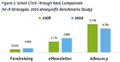
Tutorial: If your nonprofit conducts advocacy campaigns, maybe you’ve had a difficult time understanding how those efforts might align with your fundraising efforts. It might be even more difficult if these two efforts are located in different branches of your organizational tree.
A new report, Connecting Online Advocacy and Fundraising by Mark Davis of Blackbaud (with help from M+R Strategic Services and Amnesty International USA) outlines how advocacy and fundraising work together.

How to improve your nonprofit’s ranking on Google
Guest post by Matt Metten
March 2011
Tutorial: The day or week after a website launch, someone will inevitably notice that they can’t find the site on Google, Yahoo! or Bing. This becomes more problematic when your organization’s site has been online for a while and is still not being found. You know your website was indexed by the search engines, but it is listed on page 10 in Google – and no one will ever see it! What do you do?

Using Twitter & LinkedIn to promote your event
By Tamara Mendelsohn
February 2011
Tutorial: Social media is becoming an indispensable means of promoting any event. Think about what are the best channels to reach your target audience: blog, Twitter, Facebook or something else. In part 1 we covered five guiding principles on promoting events, from choosing the proper platform and defining success metrics to inviting friends and stakeholders. This tutorial will give you five more tips that will make your event a success.
How to use LinkedIn to promote your blog
By Lewis Howes
January 2010
Tutorial: LinkedIn is one of the most powerful ways to drive traffic to your blog. Here are several strategies for making the most of LinkedIn.

Guide to monitoring social media conversations
Producer: JD Lasica
January 2011
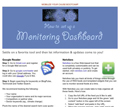
Tutorial: To succeed in today’s interconnected world, you need to listen to what your supporters and customers are saying about you. It’s time to put into place a listening program to tap into the conversations taking place on the social Web about your organization or sector.

5 ways to use social media to build a crowd for your event
Guest post by Tamara Mendelsohn
January 2011
Tutorial: How can your organization leverage social media to promote your event? Eventbrite put togeether this collection of best practices from event organizers.


How to measure your nonprofit’s social media success
Producer: JD Lasica
December 2010
Tutorial: Your organization knows that it’s important to measure the progress you’re making with your social media program or campaign. But what do you measure, why and how? Here’s a framework to guide you through the thicket of differing approaches you should consider before implementing a metrics program.
Social media ROI: The metrics and strategies
Guest post by Ryann Miller
frogloop
September 2010
Tutorial: At the Women Who Tech TeleSummit, the focus was around the return on investment: how to think of the value of social media, the things you need before starting any campaign, and how to measure, analyze and sell campaigns. Here is a recap of the topics discussed during the session.
How to get a Wikipedia page for your nonprofit
Guest post by Manny Hernandez
Diabetes Hands Foundation
September 2010
Tutorial: After more than three years, the Diabetes Hands Foundation finally has a Wikipedia page. In this tutorial Manny Hernandez shares the lessons they learned so that you can begin on the right track to get your organization listed.
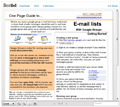
How to create a Google Group discussion list
Producer: Guest post by Tim Davies
August 2010
Tutorial: Here is a One Page Guide to E-mail Lists with Google Groups, a tool for running your own e-mail discussion lists where members of the list can send a message to a one e-mail address and all the members of the list will receive it.

10 steps for planning a successful webinar
Producer: Guest post by Kami Griffiths and Chris Peters
August 2010
Tutorial: Online seminars, or webinars, are a dynamic, engaging way to convey information to a geographically dispersed audience on a budget. Nonprofits use webinars for a variety of purposes, including software training, sharing information about a new product or service, or promoting a program. Here is an outline of some of the major steps you can take to plan quality, affordable webinars at your nonprofit.
Why your nonprofit should check out Google Buzz
Producer: John Haydon
February 2010
Tutorial: Here are several reasons why Google Buzz is different from Facebook and Twitter — and why your nonprofit may find value in creating a Buzz account.
8 tips for effective online networking
Producer: Beth Kanter
February 2010
Tutorial: As more organizations jump on the social networking bandwagon, people are seeking ways to make the time spent on these tools as efficient and fruitful as possible. Here are suggestions for effectively managing your profiles and contacts on social networking sites and getting the most out of social tools.

8 simple ways to optimize your LinkedIn profile
Producer: John Haydon
January 2010
Tutorial: LinkedIn presents a wealth of untapped potential for nonprofits. It’s the most respected professional social networking site, with tens of millions professionals from 200 countries. Here are a tips on using LinkedIn to promote your blog.
10 tactics to be more efficient with social media
Producer: John Haydon
January 2010
Tutorial: Ten tactics to be more efficient with social media, from task chunking and smart email to feed purges.
How to grow your blog with social media for social good
Producer: John Haydon
January 2010
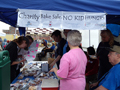
Tutorial: Within your blog strategy, make a list of non-profits that you really care about. You can either reach out to them or hop onto existing social good campaigns like TweetsGiving and Blog Action Day.

How to bridge professional and social networks with social media
Producer: Guest post by Chris Garrett
January 2010
Tutorial: Social media is not just a more efficient way of networking, and it is not just a way to avoid some of the less appealing parts of networking that you experience in the face to face world. It can in fact allow you to reach people who would be normally way out of reach

How to make social media ‘wheelchair accessible’
Producer: John Haydon
January 2010
Tutorial: A few simple solutions can tear down the barriers of accessibility, enabling these previously silenced voices to be heard and to fully participate online and in social media.

5 lessons from a crowdsourced birthday party
Producer: Amy Sample Ward
January 2010
Tutorial: 5 Lessons on how one can harness the power of the crowd for a quick & easy campaign. Here are reflections about how crowdsourcing techniques are used for a very fast-moving campaign and lessons learned that may apply to work.
Tips on fundraising with social media
Producer: Amy Sample Ward
January 2010
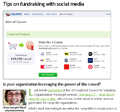
Tutorial: A look at the difference between organization-driven and individual-driven fundraising and how your organization can leverage the power of the crowd.
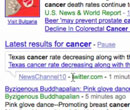
How Google’s real-time search impacts your nonprofit
Producer: John Haydon
December 2009
Tutorial: The new live search means when you now search Google, you’ll see scrolling updates from blogs, Twitter and FriendFeed published just seconds before. See our screencast for an explanation of how this impacts your nonprofit.

Highlights of LinkedIn’s new program for nonprofits
Producer: Debra Askanase
July 2011
Tutorial: LinkedIn Nonprofit Solutions offers a mix of free resources and paid packages. We run down the highlights here.
Nonprofit strategies for getting more out of LinkedIn
Producer: Debra Askanase
July 2011
Tutorial: With more than 100 million users, 44 million of them in the United States, LinkedIn is a social network you can’t afford to ignore. Socialbrite partner Debra Askanase offers tips about using LinkedIn effectively.

Using Twitter & LinkedIn to promote your event
Guest post by Tamara Mendelsohn
Director of Marketing, Eventbrite
February 2011
Tutorial: In Part 1 we covered five guiding principles on promoting events, from choosing the proper platform and defining success metrics to inviting friends and stakeholders. Here are five more tips that will make your event a success.

8 simple ways to optimize your LinkedIn profile
Producer: John Haydon
January 2010
Tutorial: Tips on using LinkedIn to promote your blog, from titles to Google rank to tweeting your LinkedIn status.
How to use LinkedIn to promote your blog
Guest post by Lewis Howes
January 2010
Tutorial: LinkedIn is one of the most powerful ways to drive traffic to your blog. Here are several strategies for making the most of LinkedIn.
Google Plus
How Google+ Ripples can move supporters to action
Producer: Debra Askanase
December 2011
Tutorial: Google+ Ripples is the first set of metrics we’ve seen from Google around Google+. It hints at what is to come from Google, and also offers Google+ users relevant information about the use of circles, G+ influence, and how data is spread.
4 ways to create content with Google Plus
Producer: John Haydon
December 2011
Tutorial: Lately, I’ve been using Google Plus as a way to find, collect and create content. Here are some examples of what I’ve been doing.
The difference between Google Plus Pages & Profiles
Producer: John Haydon
December 2011
Tutorial: Now that you have Google Plus Page for your nonprofit, here’s an explanation of the difference between Google Plus Pages and Profiles. Google Plus Profiles and Business Pages have differences similar to those of Facebook Profiles and Pages.
Tips for your nonprofit to succeed with Google Plus business pages
Producer: John Haydon
November 2011
Tutorial: Here are steps for making the most of how to use Google Plus for your business or organization.
First impressions of Google+ Pages for nonprofits
Producer: Debra Askanase
November 2011
Tutorial: Does using Google+ Pages makes sense for your nonprofit? Learn how you can use Google+ to meet your SMART goals, and how it will help your organization further its mission.
How to create a Google Plus business page
Producer: John Haydon
November 2011
Tutorial: Creating a Google Plus page for your nonprofit or brand can increase the visibility of your organization. If you make the information on your Google Plus business profile available to everyone on the Web, then your page URL will also appear in Google searches, making it more likely that your organization will be discovered.

9 steps to getting started with Google Plus
Producer: John Haydon
September 2011
Tutorial: Google’s new social networking platform, Google Plus, is still going strong since it was released at the end of June. Farra Trompeter at Big Duck created an awesome Slideshare presentation that outlined the steps to get your nonprofit started with Google Plus. Here are nine ways to start off with Google Plus.
How to get started with Google Plus and Circles
Producer: John Haydon
July 2011
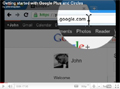
Tutorial: Google Plus is the new social platform from Google. This video covers the basics of using Circles, Sparks, Google Profile and sharing updates with friends.
• Watch video on YouTube

3 steps to add your nonprofit’s url to Pinterest
Producer: JD Lasica
October 2012
Tutorial: You may have missed the announcement that Pinterest is now giving website operators a way to verify your website on your Pinterest profile page. If you manage your nonprofit’s Pinterest account and want to associate it with your nonprofit’s website, follow these steps to verify your site to add credibility & authority.

5 tools to help you master Pinterest
Guest post by Beth Kanter
June 2012
Tutorial: Here’s a roundup of five Pinterest stat sites. This will help you get a sense of the people using the new social network and whether or not Pinterest is a good fit for your content.

5 ways to use Pinterest to promote your cause or fundraiser
Guest post by Ifdy Perez
Community manager, Razoo
May 2012
Tutorial: Here’s a list of five ways you can use Pinterest to drive traffic to your online fundraiser that works both for Twive, combined words Twitter and Give, a 24-hour fundraising competition on June 14, and any other fundraiser your nonprofit starts!
What to pin, and what not to pin, on Pinterest
Guest post by Noland Hoshino
[B]cause Media
February 2012
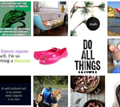
Tutorial: Pinterest is like an Ambercombie and Fitch store. Display stimulating eye candy and people will stop and notice. What you pin onto your boards tells a lot about your interests and personality.

12 ways to use Pinterest for your nonprofit
Guest post by Noland Hoshino, [B]cause Media
January 2012
Tutorial: Pinterest is an online scrapbook that you put together while surfing the Internet. It allows you to organize and share all the beautiful things you find on the Web. You can browse pinboards created by other people to discover new things and get inspiration from people who share your interests. Here are 12 tips for using Pinterest for your nonprofit or organization.
Credits
• cckids photo in top navigation by Cambodia4kidsorg on Flickr